[toc]
No-Code AI Workflow Automation: Stop Working for Your Software
Here is a situation that most operations managers will recognize immediately.
Your company uses Salesforce for CRM, Zendesk for support, Stripe for payments, QuickBooks for accounting, and Slack for internal communication. Each of these tools is genuinely good at what it does. Combined, they represent a significant annual software spend.
And yet, somewhere between all of these platforms, your team is spending hours every day doing work that should not require a human being. Copying lead data from email into the CRM. Downloading payment reports to upload into the accounting system. Updating project statuses in three different places because the tools do not talk to each other. Chasing approvals through Slack threads that should have been automated weeks ago.
This is the hidden cost of a disconnected software stack. The tools are not the problem — the gaps between them are.
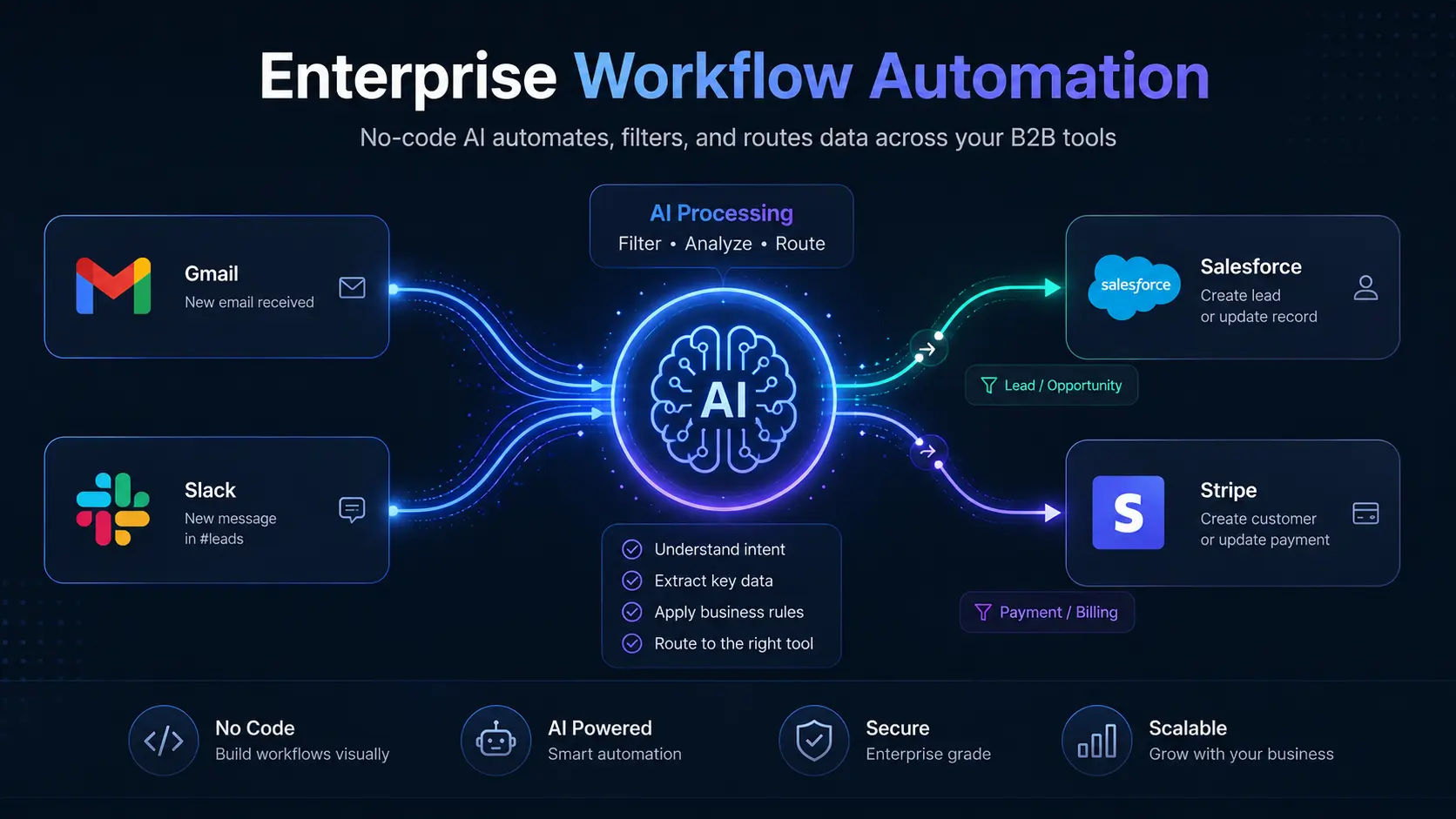
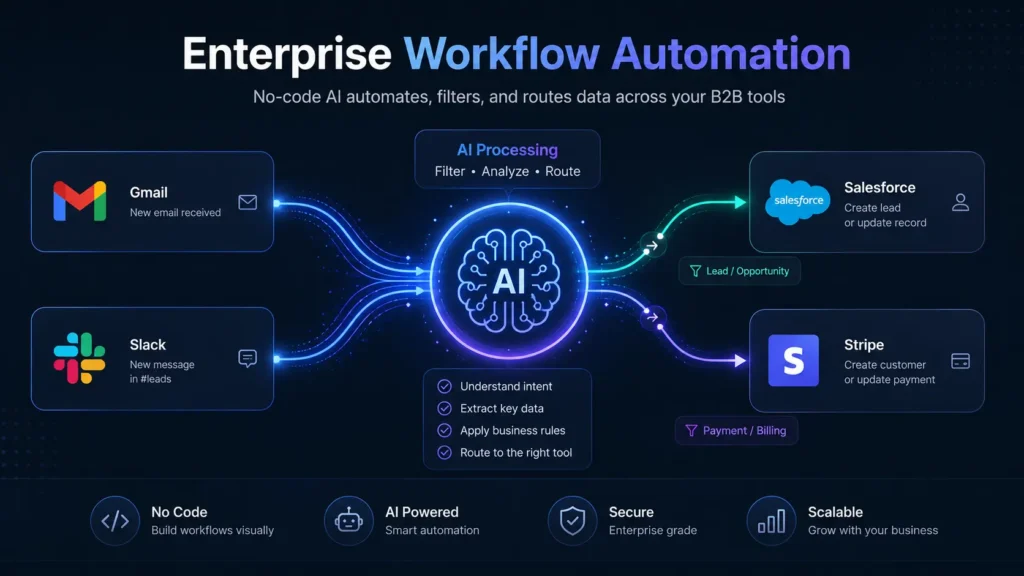
No-code AI workflow automation is what fills those gaps. Instead of building expensive custom integrations or hiring more administrative staff to manage the flow of data between systems, we use visual automation platforms — Make.com, Zapier, and n8n — to connect your existing tools into a single, self-executing ecosystem. Add AI to the middle of those workflows, and the system stops just moving data and starts making decisions about it.
At MarkupMarvel, we build no-code AI workflow automation for B2B companies that have outgrown manual operations. Not simple two-step Zaps. Complex, error-handled, production-grade automation infrastructure that runs your repetitive processes so your team does not have to.
1. What No-Code AI Workflow Automation Actually Means
The term combines two things that are worth understanding separately before examining how they work together.
No-code workflow automation refers to the practice of connecting software applications and automating data flows between them using visual, logic-based platforms — without writing raw integration code. Platforms like Make.com, Zapier, and n8n provide pre-built connectors for thousands of business applications. Our automation engineers use these connectors to build multi-step workflows that trigger on events, process data, make decisions, and pass information between systems.
A simple example: when a lead fills out a contact form on your website, a no-code workflow can automatically create a contact in Salesforce, assign it to the correct sales rep based on territory, send a personalized introductory email, and post a notification in the relevant Slack channel — all within seconds, without anyone touching it manually.
AI enhancement is what separates basic no-code automation from intelligent no-code AI workflow automation. Standard automation is deterministic — it follows fixed rules and cannot handle unstructured or ambiguous input. AI changes that.
By embedding large language models like GPT-4 into the middle of automation workflows, the system gains the ability to read and understand unstructured content. An incoming customer email is not just forwarded — the AI reads it, determines the sentiment, identifies the issue category, extracts relevant account details, and routes it with a drafted response already attached. The workflow does not just move data. It processes it.
This is what makes no-code AI workflow automation genuinely different from the basic automation most businesses have tried before.
According to Make.com’s enterprise documentation, enterprise automation platforms now support direct AI model integration within workflow scenarios — making it possible to build intelligent data processing pipelines without a dedicated engineering team for every integration.
2. Where the Real Operational Costs Are Hiding
Before we build anything, we identify where no-code AI workflow automation will deliver the highest return. The answer is almost always in the same places.
Senior staff doing junior work
The most expensive operational waste is not the administrative staff doing data entry — it is the senior staff who should not be doing data entry at all. Sales managers updating pipeline records. Account executives manually generating proposals. Marketing leads downloading CSVs to upload into different platforms. These are not edge cases. They are daily realities in most scaling B2B businesses.
Every hour a $120,000-a-year salesperson spends on manual data management is an hour not spent closing deals. No-code AI workflow automation buys that time back — not by making the person redundant, but by removing the tasks that should never have been theirs.
Human error in high-volume data processes
Manual data entry has a well-documented error rate. When a team member copies product data, pricing updates, or customer records across systems at volume, mistakes happen. A wrong decimal point on a pricing update. An incorrect shipping weight. A lead assigned to the wrong rep because of a copy-paste error. Each mistake has a cost, and at scale those costs add up.
No-code AI workflow automation executes the same process identically every time. It does not get tired, distracted, or rushed. The data that goes into the workflow is the data that comes out the other side — correctly formatted, correctly routed, without variation.
Slow response times on inbound leads
Research consistently shows that response time is one of the most significant factors in B2B lead conversion. According to HubSpot’s sales research, responding to an inbound lead within five minutes makes conversion significantly more likely than responding within an hour — and most manual processes cannot get anywhere near five minutes.
No-code AI workflow automation handles lead routing and initial outreach in seconds. By the time a human sales rep sees the lead notification, the contact has already been created in the CRM, enriched with company data, and sent a personalized introductory email.
3. CRM and Lead Routing Automation
Lead leakage — the gap between a lead entering your system and a salesperson actually engaging with it — is one of the most common and costly operational failures in B2B companies. No-code AI workflow automation eliminates it.
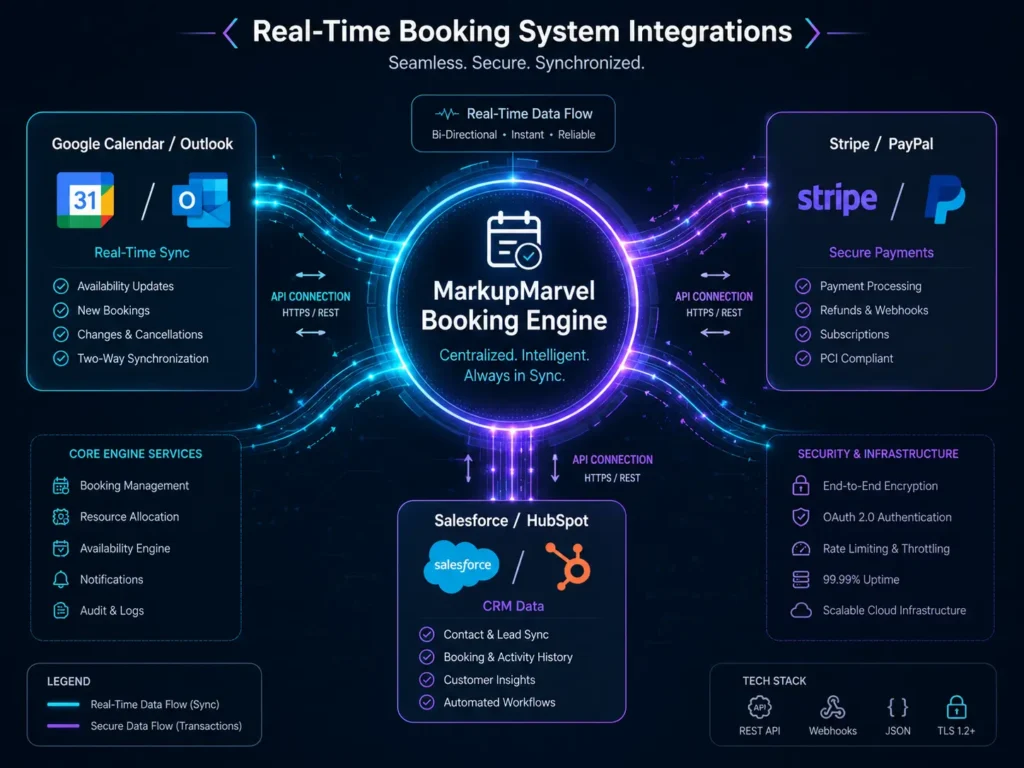
When a prospect fills out a form, downloads a resource, or books a demo, our workflows trigger immediately. The lead data is captured and passed to an enrichment API — Clearbit or ZoomInfo — to append company size, industry, job title, and other qualification data. The enriched lead is then scored against your qualification criteria and routed to the correct sales rep in your CRM based on territory, industry vertical, or deal size.
Simultaneously, a personalized introductory email goes out — not a generic autoresponder, but an AI-generated message that references the specific content the prospect engaged with and speaks to the relevant pain point for their industry. The sales rep receives a Slack notification with a full summary of the lead and a direct link to the CRM record.
All of this happens in under ten seconds. No human involvement required until the sales rep is ready to have a conversation.
We build these workflows in Make.com or n8n for complex multi-branch logic, or Zapier for simpler linear flows. The platform choice depends on the complexity of your lead routing logic and the tools in your existing stack.
4. AI-Powered Customer Support Pipeline Automation
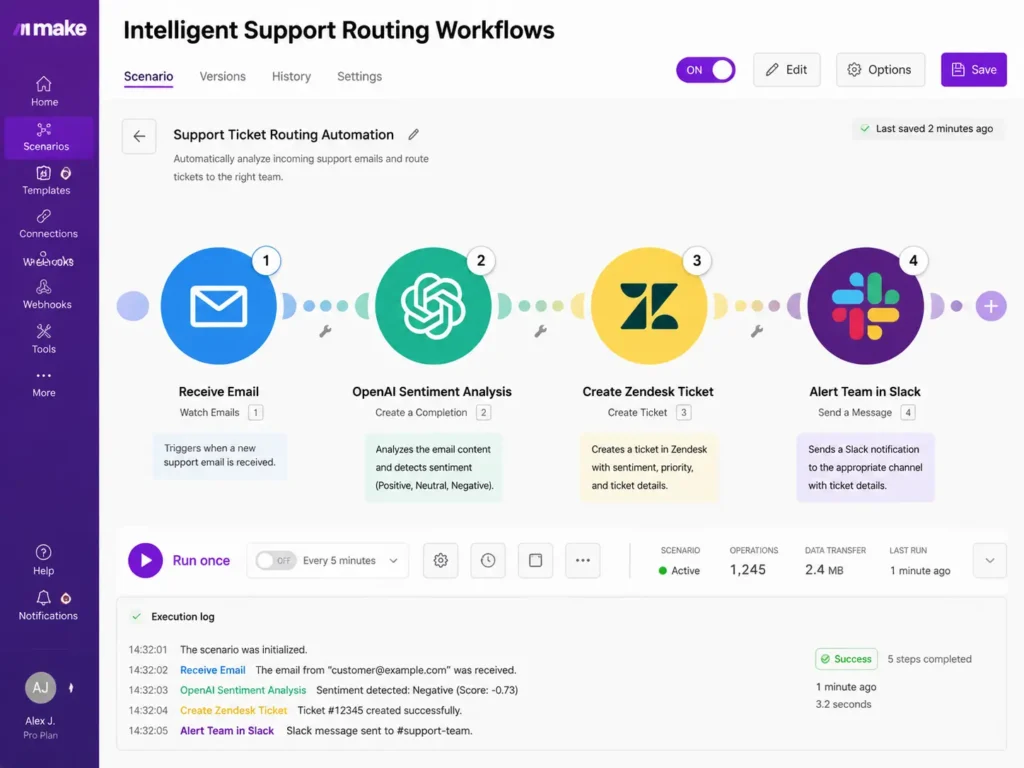
Support teams spend a disproportionate amount of their time on tier-1 queries — questions that have clear, documented answers but still require a human to read, categorize, look up the relevant information, and respond. No-code AI workflow automation handles this entire process without human involvement for the majority of cases.
When a customer email arrives at your support inbox, the workflow triggers. The AI reads the full email — not just the subject line — and determines the issue category, the sentiment, and the urgency level. It extracts relevant identifiers: order number, account ID, subscription plan. It queries your CRM or billing system to pull the current account status. It drafts a response based on your documentation and the specific details of the request.
What reaches your support agent is not a raw email they need to process from scratch. It is a pre-categorized ticket with the account context already pulled, a draft response ready for review, and a suggested resolution path. The agent reads, adjusts if needed, and sends. What was a five-minute task becomes a thirty-second one.
For queries that fall within well-defined parameters — standard return requests, password resets, billing questions with clear answers — the workflow can handle the full resolution without agent involvement, routing only the edge cases and complex issues to your team.
This is how no-code AI workflow automation changes the economics of customer support without reducing the quality of the customer experience.
5. Financial and E-Commerce Data Sync Automation
Financial data accuracy depends on timely, consistent synchronization between payment systems, accounting platforms, and operational tools. Manual sync processes introduce delays and errors. No-code AI workflow automation makes the sync happen automatically, in real time, without human handling.
When a payment is processed through Stripe or PayPal, the workflow triggers. The transaction data is formatted to match your accounting system’s requirements and pushed directly to QuickBooks or Xero — categorized, tagged, and reconciled without anyone opening a spreadsheet.
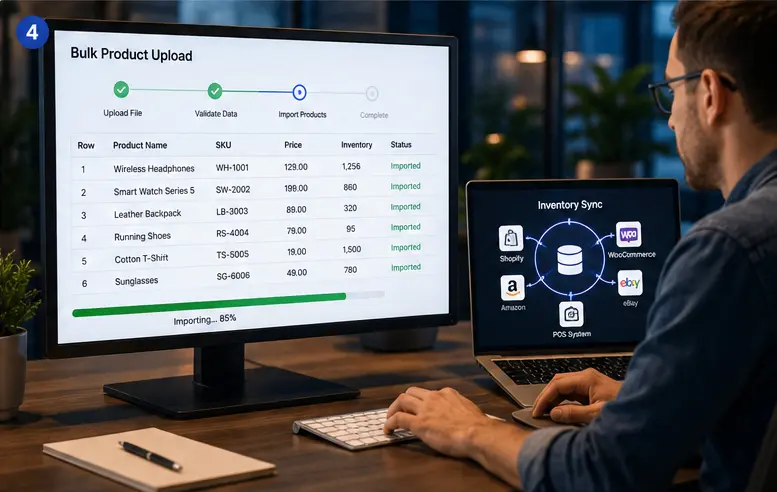
For e-commerce operations, the workflow extends further. A completed order on your Shopify store triggers inventory updates across all connected channels, generates and emails a PDF invoice to the customer, updates the order status in your fulfillment system, and flags the order for your warehouse team in the relevant Slack channel. What was a four-step manual process becomes a zero-step automated one.
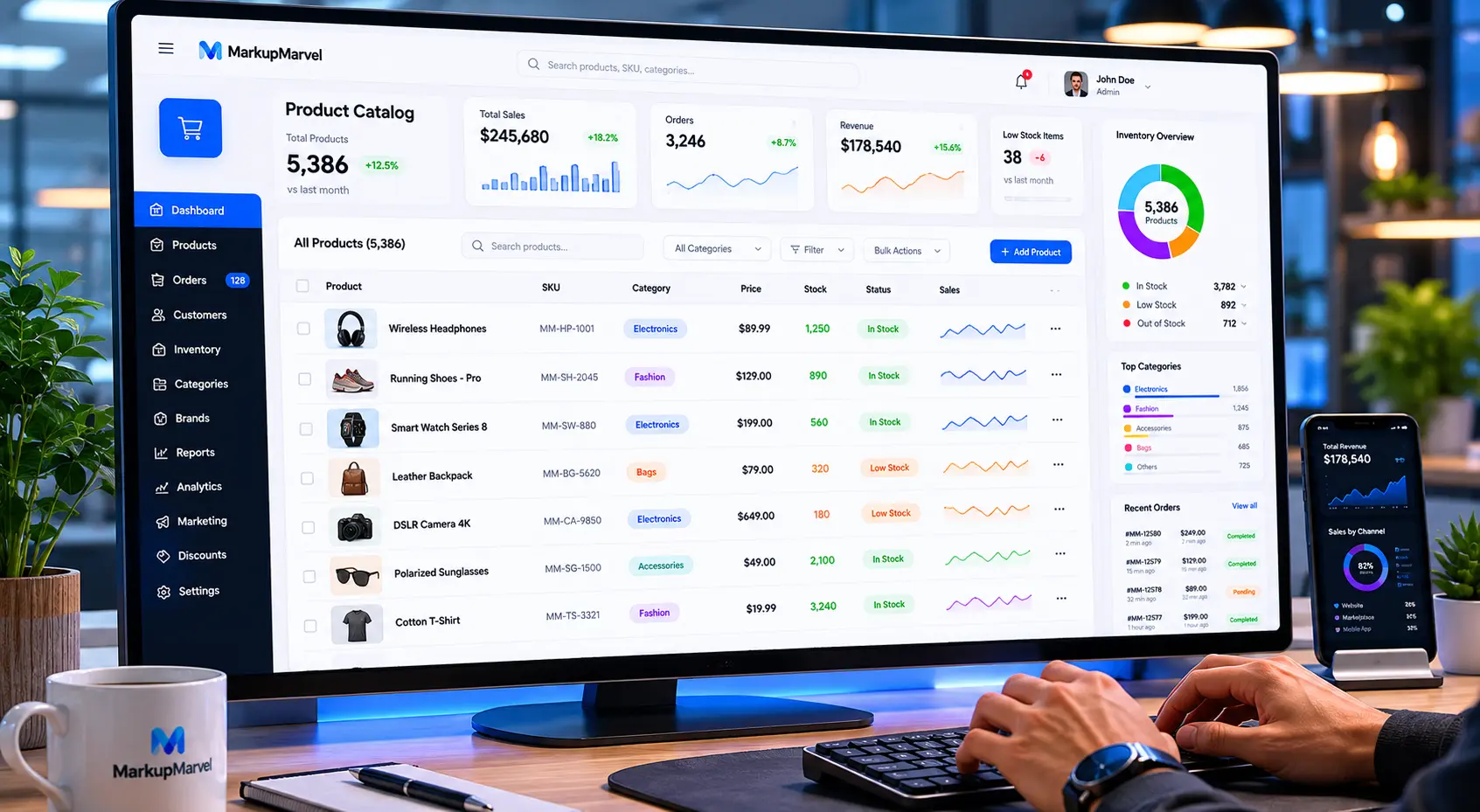
For businesses managing large product catalogs, no-code AI workflow automation handles bulk data operations that would otherwise require significant staff time. Price updates, inventory adjustments, product description changes — these push from a single source to every connected channel automatically, with AI handling the formatting and validation before the data reaches its destination.
6. The Make.com, n8n, and Zapier Difference: Why Platform Choice Matters
There is a meaningful difference between a two-step Zapier automation and production-grade enterprise workflow architecture — and the platform you build on affects what is possible.
Zapier is the most widely known automation platform and the right choice for straightforward, linear workflows with well-supported app connections. It is fast to build on and has the largest library of pre-built integrations. For simple lead routing, notification triggers, and basic data sync, Zapier is efficient and reliable.
Make.com (formerly Integromat) handles significantly more complex logic. Multi-branch routing, iterators and arrays for processing collections of records, conditional paths based on data values, and more sophisticated error handling make Make.com the right choice for workflows with real operational complexity. The visual interface maps to how the data actually flows, which makes complex scenarios easier to build and maintain.
n8n is a self-hosted option that gives organizations complete control over their automation infrastructure. For businesses with strict data residency requirements, n8n can run entirely within your private cloud environment. It also offers more flexibility for custom code nodes when a workflow requires logic that goes beyond the visual builder’s capabilities.
Beyond platform selection, enterprise no-code AI workflow automation requires proper error handling architecture. When a connected API goes down, the workflow should not silently fail and lose data — it should queue the payload, alert the right people, and retry automatically when the connection is restored. We build this error handling into every production workflow we deploy.
7. Building Automation for Software Without Native Integrations
Not every business tool has a pre-built connector in Zapier or Make.com. Legacy software, industry-specific platforms, and custom-built internal tools often have APIs that are functional but not natively supported by major automation platforms.
This is where our engineering background matters. We use custom webhook endpoints, JSON payloads, and authenticated HTTP requests to connect any software with an accessible API to your automation ecosystem. If the tool has an API — even a basic REST API — we can automate it.
For legacy systems without modern APIs, we work with the data access methods available: scheduled database exports, email-based triggers, file drop monitoring, or screen scraping where other methods are not viable. The goal is to get the data flowing automatically regardless of the technical constraints of the source system.
This means your no-code AI workflow automation is not limited to the tools that are popular enough to have pre-built connectors. It covers your full stack.
Frequently Asked Questions
Q: Can you automate software that does not have a native Zapier or Make.com integration?
Yes. If the platform has an accessible API, we can connect it using custom webhooks and HTTP requests. For platforms without modern APIs, we work with whatever data access method is available — database exports, email triggers, or file-based workflows.
Q: What happens if an automation fails or a connected service goes down?
We build error handling into every production workflow. If a connected service drops, the workflow queues the data, sends an alert to your team, and retries automatically at timed intervals. Data is not lost when external services are temporarily unavailable.
Q: Is no-code AI workflow automation secure enough for sensitive financial and customer data?
Yes. Make.com, n8n, and Zapier maintain SOC 2 Type II compliance and GDPR compliance. We implement secure API key handling, encrypted data payloads, and access controls that limit what data each workflow can touch. For organizations with strict data residency requirements, we deploy n8n on private infrastructure.
Q: Will automation replace our staff?
No — and that is not the goal. No-code AI workflow automation removes the repetitive, manual tasks that consume your team’s time without requiring their judgment. Your staff focuses on the work that actually requires human insight: strategy, relationships, complex problem-solving. The automation handles everything else.
Q: How do you decide which processes to automate first?
We run a workflow audit before building anything. We look for processes that are high-frequency, involve moving data between two or more systems, follow consistent logic, and are currently handled manually. We prioritize by the combination of time saved and error risk eliminated — the processes where automation delivers the fastest and most measurable return.
Q: How long does it take to deploy a no-code AI workflow automation project?
A focused automation — a lead routing workflow or a support triage pipeline — typically deploys within 2 to 4 weeks. Larger, multi-system automation programs with complex branching logic take 6 to 10 weeks depending on the number of systems involved and the complexity of the data flows.
Your Team Should Be Solving Problems, Not Moving Data
Every hour your team spends on manual data entry, system synchronization, and repetitive administrative tasks is an hour not spent on the work that actually grows your business. The tools to eliminate most of that manual overhead already exist — the gap is connecting them properly.
No-code AI workflow automation is not a future technology. It is available now, it deploys quickly, and the return on investment shows up in the first month in reduced labor hours and faster response times.
MarkupMarvel builds no-code AI workflow automation for B2B operations teams that are ready to stop working for their software.