
Headless Web Architecture: 7 Proven API Integration Tips

[toc]

Headless Web Architecture: 7 Proven API Integration Tips

Most businesses do not realize their website architecture is holding them back until the symptoms become impossible to ignore.

Pages that load slowly on mobile. A marketing team that cannot push content updates without developer involvement. An e-commerce platform that works fine on desktop but feels clunky on the app. A CMS that serves the website well but cannot push the same content to a native mobile application or a digital kiosk without a separate, redundant workflow.

These are not isolated technical problems. They are symptoms of the same root cause: a monolithic architecture where the frontend and backend are tightly coupled, designed for a world where every user visited a website through a desktop browser.

That world no longer exists. Users interact with brands across websites, mobile apps, smart speakers, digital displays, and AI assistants — often across multiple surfaces in a single day. The architecture that serves one of these channels well almost never serves all of them without significant compromise.

Headless web architecture solves this at the foundation. By separating the frontend presentation layer from the backend content and data layer, and connecting them through APIs, headless architecture lets you manage content once and deliver it everywhere — without the performance compromises, development friction, and scaling limitations of a traditional monolithic CMS.

This guide breaks down how headless web architecture works, when it makes sense to adopt it, and what the transition actually involves.

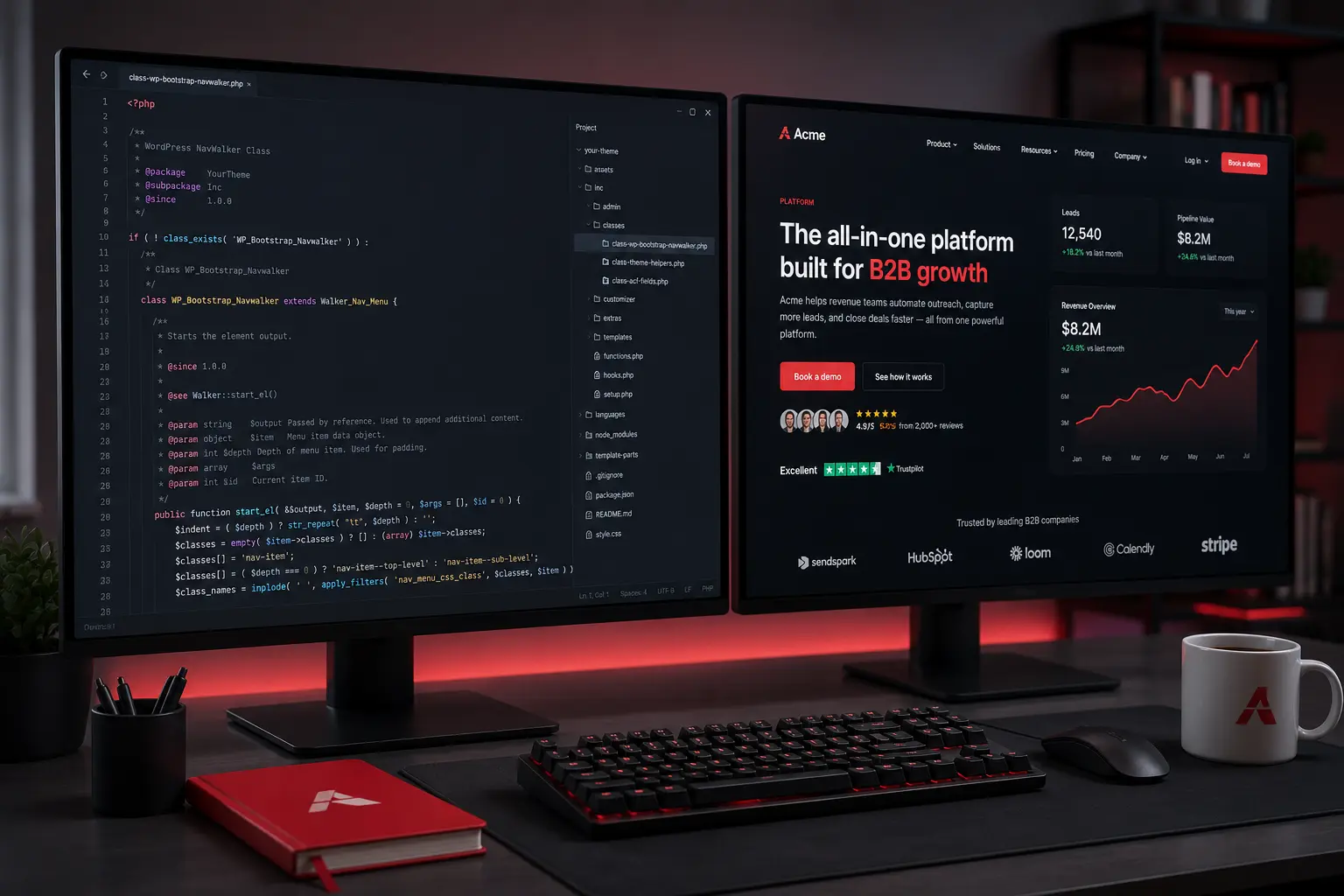
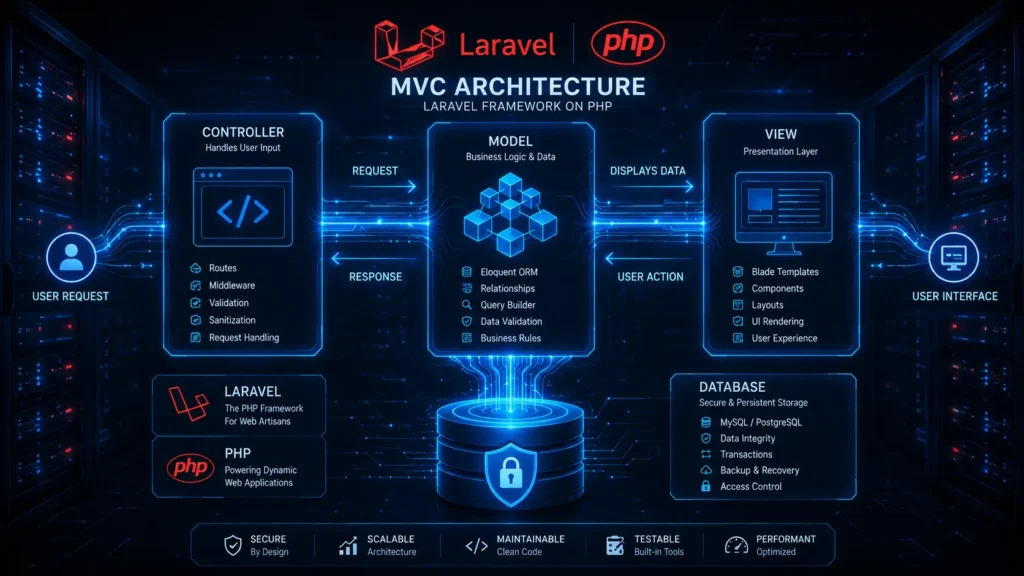
 headless web architecture API integration diagram showing decoupled backend database delivering content to web mobile and IoT devices.

1. The Problem With Monolithic Architecture at Scale

To understand why headless web architecture exists and why organizations invest in it, you need to understand what monolithic architecture gets wrong as complexity increases.

In a traditional monolithic CMS — WordPress, Drupal, Magento, or most hosted platforms — the frontend and backend are tightly coupled. The database stores the content. The CMS assembles the HTML based on templates. The server delivers the assembled page to the browser. All of this happens together, on the same system, every time a user loads a page.

This architecture is fine for a straightforward website with moderate traffic and a single delivery channel. The problems emerge at scale.

Development becomes a coordination problem

When frontend and backend are coupled, a change to the user interface can require touching backend code. A template update can break a plugin. A plugin update can break a template. Developers working on different parts of the system need to coordinate carefully to avoid conflicts. As the team grows and the system gets more complex, development slows down — not because the team is less capable, but because the architecture makes parallel work difficult.

Performance degrades as features accumulate

Monolithic CMS platforms typically serve pages by assembling them on the server on each request — querying the database, running template logic, and returning HTML. Under low traffic, this is fast enough. Under high traffic, or with a large number of plugins adding their own database queries and JavaScript to every page load, response times climb. Adding more server capacity helps, but it does not fix the underlying inefficiency of assembling every page from scratch on every request.

Scaling to new channels requires redundant work

When a business with a monolithic CMS wants to add a mobile app, a digital kiosk, or any other content surface, the backend cannot serve those channels directly. Content that lives in the CMS can only be delivered through the CMS’s rendering system. A mobile app needs a separate backend, or complex workarounds, to access the same content. The result is duplicated content management workflows and inconsistent content across channels.

Headless web architecture addresses all three of these problems structurally.


2. How Headless Web Architecture Actually Works

Headless web architecture separates the frontend — what users see — from the backend — where content and data live. The backend becomes a pure content repository with no opinion about how content is displayed. The frontend is built independently using modern JavaScript frameworks. An API connects the two.

The backend layer

In a headless architecture, the CMS stores content — articles, product data, images, structured records — but does not generate HTML. It exposes content through an API, typically REST or GraphQL. Common headless CMS platforms include Contentful, Sanity, Strapi, and headless WordPress configurations. The backend’s only job is to store content and make it available through the API.

The API layer

The API is the bridge between backend and frontend. When a user’s browser or app needs content, it sends a request to the API. The API queries the backend, retrieves the relevant data, and returns it — typically as JSON. This is the communication layer that makes headless web architecture work across multiple channels simultaneously.

The frontend layer

The frontend is built with a modern JavaScript framework — Next.js, React, Vue.js, or Nuxt.js — completely independently of the backend. It requests the content it needs from the API and renders it according to its own design and logic. Because it is decoupled from the backend, it can be rebuilt, redesigned, or replaced without touching the content or data layer.

The practical implication: the same backend can serve a website, a mobile application, a digital kiosk, and a voice interface — each with its own frontend, all pulling from the same content repository through the same API.

According to Netlify’s State of Web Development report, adoption of headless and Jamstack architectures has grown significantly among enterprise development teams — driven primarily by performance requirements and the need to serve content across multiple channels.


3. REST vs. GraphQL: Choosing the Right API Protocol

The API layer in a headless web architecture can be implemented using different protocols, and the choice between them affects both development experience and performance.

REST (Representational State Transfer)

REST is the established standard for web APIs. It organizes data around endpoints — specific URLs that return specific data. A REST API might have an endpoint for articles, an endpoint for products, and an endpoint for user accounts. Requests to these endpoints return the full data object associated with that resource.

REST is well-documented, widely supported, and compatible with virtually every development tool and language. For straightforward integrations and backends that need broad compatibility, REST is reliable and easy to work with.

The limitation: REST endpoints return fixed data structures. If a frontend component only needs three fields from a resource with twenty fields, it still receives all twenty. This over-fetching becomes a performance concern when mobile applications need to minimize data transfer to maintain speed on slower connections.

GraphQL

GraphQL, developed by Meta, solves the over-fetching problem. Instead of fixed endpoints that return fixed data, GraphQL exposes a single endpoint that accepts queries specifying exactly what data is needed. The frontend asks for precisely the fields it requires, and the API returns precisely those fields — nothing more.

For mobile applications and performance-sensitive frontends, GraphQL’s efficiency is meaningful. Smaller payloads mean faster responses and lower data usage. For complex UIs that need to pull related data from multiple resources in a single request, GraphQL’s ability to nest queries is also a significant advantage.

We recommend REST for straightforward integrations with broad compatibility requirements, and GraphQL for performance-critical applications where payload size and query flexibility matter. Many headless web architecture implementations use both — REST for simpler integrations and GraphQL for the primary content delivery layer.

4. Composable Architecture and Microservices

One of the most significant business benefits of headless web architecture is what it enables beyond the website itself: composable architecture.

A monolithic platform typically handles many functions — content management, e-commerce, user authentication, search, email — within a single system. The advantage is simplicity. The disadvantage is that the best-in-class solution for each of these functions is rarely the same system. When you are locked into a monolith, you use whatever capabilities the platform provides, even when better alternatives exist.

Headless web architecture enables a composable approach. Because each system communicates through APIs, you can select the best tool for each function and connect them through API integrations. The best search platform for your use case. The best payment processor for your market. The best CRM for your sales process. Each one connects to the others through APIs — and when a better alternative emerges, you swap the connection without rebuilding anything else.

This is what makes headless web architecture genuinely future-proof. The frontend can be redesigned without touching the backend. The backend can be migrated without rebuilding the frontend. Individual services can be upgraded or replaced without disrupting the rest of the system. Technical debt does not accumulate in the same way it does in a monolith, because each layer can evolve independently.
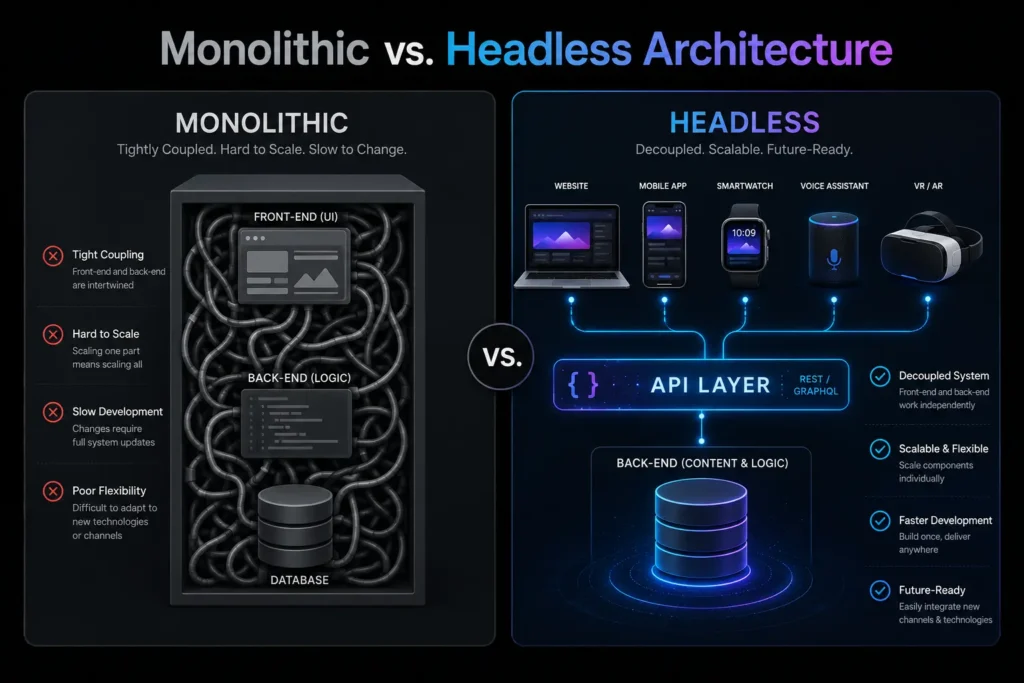
 Headless web architecture comparison diagram showing tangled monolithic CMS versus clean decoupled headless architecture with API bridge.

5. Performance, Core Web Vitals, and SEO Benefits

Performance is one of the most frequently cited reasons organizations move to headless web architecture, and the performance gains are structural rather than incremental.

Static generation and edge delivery

Modern JavaScript frameworks like Next.js support Static Site Generation (SSG) — the ability to pre-render pages at build time rather than assembling them on each request. Pre-rendered pages are served directly from a CDN edge node close to the user, without any server-side processing. Response times drop dramatically, and the system scales to handle traffic spikes without degrading.

For content that changes frequently, Incremental Static Regeneration (ISR) allows specific pages to be regenerated on a schedule or on demand, without rebuilding the entire site. This combines the performance of static delivery with the currency of dynamic content.

Core Web Vitals impact

Google’s Core Web Vitals — Largest Contentful Paint (LCP), Interaction to Next Paint (INP), and Cumulative Layout Shift (CLS) — measure the user experience of page loading and interactivity. Headless web architecture sites, built with clean code, minimal unnecessary JavaScript, and CDN-delivered static assets, consistently score better on these metrics than monolithic CMS sites carrying plugin overhead and server-rendered page assembly.

Improved Core Web Vitals scores directly affect search rankings. According to Google’s Core Web Vitals documentation, these metrics are used as ranking signals — meaning the structural performance advantages of headless web architecture translate into measurable SEO benefit.

AI search and structured data

As AI-powered search becomes a more significant traffic source, the quality of your content’s structure matters more. AI retrieval systems favor clean, well-structured data. Headless web architecture delivers content through APIs in JSON format — inherently structured and machine-readable. Combined with proper JSON-LD schema markup, this makes headless content significantly more accessible to AI crawlers and retrieval systems than content delivered through bloated, template-generated HTML.

6. Security Advantages of Headless Web Architecture

Security in monolithic CMS platforms is a persistent challenge because the frontend and backend share the same attack surface. A vulnerability in a plugin, a theme, or the CMS core can expose the database. The default login URL is predictable. The database structure is known because the CMS is open source.

Headless web architecture changes this fundamentally.

When the backend is decoupled and sits behind an API, it is not publicly exposed. There is no publicly accessible admin login URL. There are no frontend-facing database queries. The attack surface of the public-facing frontend does not include the data layer — because they are separate systems communicating through a controlled, authenticated API.

For the API layer itself, we implement authentication using API keys or JWT tokens, rate limiting to prevent abuse, input validation on all incoming requests, and HTTPS for all data in transit. The backend is configured to accept connections only from authorized API clients — not from arbitrary public requests.

This architecture is particularly relevant for businesses handling sensitive data — customer records, payment information, proprietary content — where a breach of the public-facing website should not translate into a breach of the data layer. Headless web architecture makes that separation structural rather than dependent on continuous security maintenance of a complex, plugin-heavy monolith.


7. When Headless Web Architecture Makes Sense — and When It Does Not

Headless web architecture is not the right choice for every business, and we think it is important to be direct about that.

When headless is the right choice:

Your business needs to deliver content to multiple channels simultaneously — website, mobile app, digital kiosk, or other surfaces — from a single content management workflow. Your current CMS performance is measurably limiting your traffic, conversions, or ability to handle traffic spikes. Your development team needs the ability to build and deploy the frontend independently of backend changes. Your content model has complex structure that does not fit well into a traditional page-based CMS. Your business is growing into markets or use cases that require flexibility your current architecture cannot provide.

When a traditional CMS is sufficient:

You are operating a straightforward content site or small e-commerce store with moderate traffic. Your team does not have the technical capacity to manage a decoupled architecture. Your budget does not support the higher initial build cost of a headless implementation. Your content delivery requirements are single-channel and unlikely to expand.

Headless web architecture requires a higher initial investment and more technical sophistication to implement and maintain than a standard CMS setup. The performance, flexibility, and scalability benefits are real — but they are most valuable for organizations operating at a scale or complexity level where those benefits are actually needed.


Frequently Asked Questions

Q: What is headless web architecture in simple terms?

Headless web architecture separates your website’s content backend from its frontend presentation layer. The backend stores and manages content. The frontend handles how that content looks and behaves. An API connects the two. This separation allows the same content to be delivered to any channel — website, mobile app, smart device — without duplicating the content management workflow.

Q: How does headless web architecture affect SEO?

Positively, in most cases. Headless sites built with proper server-side rendering or static generation score well on Core Web Vitals, which are ranking factors. Clean, structured API data is also more accessible to AI search systems and structured data crawlers than content delivered through bloated CMS templates.

Q: Will a headless migration affect my current organic traffic?

Not if the migration is handled correctly. Proper 301 redirect mapping, preservation of all meta data and structured schema, and monitoring of crawl behavior after launch are the key factors. We handle all of these as part of our headless web architecture migration process.

Q: Can my marketing team still manage content without developer help?

Yes. The headless CMS — Contentful, Sanity, Strapi, or headless WordPress — provides a content editing interface your team uses directly. The decoupling is on the technical side. From the marketing team’s perspective, they publish content in a familiar dashboard and it appears on the frontend automatically.

Q: What is the difference between headless and Jamstack?

Jamstack is an architectural approach that pre-renders pages at build time and serves them from CDNs, using JavaScript, APIs, and Markup. Headless web architecture is the broader concept of decoupling frontend and backend. Jamstack is one implementation pattern within headless web architecture — specifically the static generation approach. Not all headless implementations use Jamstack principles, but many do.

Q: How long does a headless web architecture migration take?

For a content site or marketing site, 8 to 14 weeks is typical. For a large e-commerce migration with complex product data, integrations, and custom frontend builds, 16 to 24 weeks is more realistic. We provide a detailed timeline during the scoping phase.


Your Architecture Should Support Your Growth, Not Constrain It

A monolithic CMS that served your business well at launch becomes a liability as complexity increases. Slow pages, development friction, and the inability to serve content across multiple channels are structural problems — they do not get better with maintenance, only with architectural change.

Headless web architecture gives you the flexibility to build the frontend your users deserve, the performance your SEO requires, and the content infrastructure your team can actually manage at scale.

MarkupMarvel architects headless web architecture for businesses ready to build on a foundation that scales.


GEO and AEO Services: 7 Proven Ways to Win AI Search

[toc]

GEO and AEO Services: 7 Proven Ways to Win AI Search

Something has changed in how people find businesses online — and most companies have not noticed yet.

The shift is not subtle. Users who previously typed a search query, scrolled through ten results, and clicked through to read an article are now asking AI systems to do all of that work for them. They type a detailed question into ChatGPT, Gemini, or Perplexity. The AI reads hundreds of sources, synthesizes the relevant information, and delivers a direct answer. The user gets what they need without visiting a single website.

For businesses, this creates a problem that traditional SEO does not solve. You can rank on page one of Google and still be completely invisible to someone who asked an AI assistant for a recommendation. The AI did not consult your page rankings. It consulted its training data, its retrieval index, and its assessment of which sources are authoritative enough to cite.

GEO and AEO services exist to close that gap. Generative Engine Optimization (GEO) builds your brand’s authority and entity presence so AI systems recognize and cite you. Answer Engine Optimization (AEO) structures your content so AI can extract direct answers from it. Together, they are what separates brands that get recommended by AI from brands that get ignored by it.

At MarkupMarvel, our GEO and AEO services are built for businesses that understand where search is going — and want to be positioned for it before their competitors are.

GEO and AEO services AI neural network replacing traditional search bar representing generative engine optimization for brands.

1. How AI Search Actually Works — and Why It Changes Everything

To understand why GEO and AEO services matter, you need to understand what AI-powered search systems are actually doing when someone asks them a question.

Traditional search engines index web pages and rank them by relevance to a query. The user sees a list of links and chooses which ones to visit. The search engine’s job ends at the list.

AI search systems work differently. When a user asks ChatGPT, Gemini, or Perplexity a question, the system does not present links. It reads and synthesizes information from multiple sources — its training data, live retrieval indexes, and authoritative web content — and generates a direct, conversational answer. The user gets a response, not a list of options to evaluate.

This behavioral shift has two significant consequences for businesses.

Zero-click search at scale

When AI answers the question directly, the user has no reason to visit a website. Traffic that used to flow from search results to business websites gets absorbed by the AI’s response. For businesses that depend on organic traffic to generate leads, this is a direct revenue impact — not a future concern, but a present one.

Citation as the new ranking

In AI search, the equivalent of ranking on page one is being cited in the AI’s response. When ChatGPT says “according to [your company]” or when Gemini’s AI Overview surfaces your content as its source, that is the AI equivalent of a first-page result. Our GEO and AEO services are specifically designed to earn those citations.

According to research from BrightEdge, AI Overviews now appear in a significant percentage of Google search results — meaning the competition for AI visibility is already underway, regardless of whether businesses have started optimizing for it.


2. Answer Engine Optimization (AEO): Structuring Content for Direct Extraction

AEO is the tactical foundation of our GEO and AEO services. It focuses on making your content extractable — structured in a way that AI systems can pull a direct, accurate answer from it without ambiguity.

The core insight behind AEO is that AI systems favor content that answers questions clearly and immediately. If a page buries the answer to a common question three paragraphs into a section, an AI is less likely to extract it than a page that answers the question in the first sentence and then provides supporting detail.

Question-based content architecture

Every major topic on your site needs to be framed around the actual questions your audience asks. Not vague headings like “Our Approach” — specific headings like “How Does Custom WordPress Development Improve Site Speed?” When the heading matches the question a user is likely to ask an AI, the AI is more likely to surface the content in its response.

The inverted pyramid answer format

The most extractable content structure places the direct answer first — typically 40 to 60 words — and then expands into detail. This mirrors how AI systems prefer to cite information: a concise, quotable answer followed by supporting context.

Structured FAQ sections

FAQ sections are one of the highest-value components in AEO because they directly mirror the question-and-answer format that AI systems use. Well-structured FAQ content with specific, direct answers to real user questions significantly improves the likelihood of AI extraction and citation.

JSON-LD structured data

Schema markup translates your human-readable content into machine-readable code. FAQ schema, HowTo schema, Organization schema, and Article schema all communicate the structure and meaning of your content directly to search engines and AI retrieval systems. Implementing these correctly is a core deliverable in our GEO and AEO services.


3. Generative Engine Optimization (GEO): Building the Authority AI Systems Trust

While AEO focuses on individual content pieces, GEO operates at the level of your entire digital brand presence. It is about making your brand a recognized, trusted entity that AI systems confidently recommend — not just a website with relevant content.

AI systems like ChatGPT and Gemini are trained on and retrieve from a vast ecosystem of sources. When they evaluate whether to cite a brand, they are not just looking at one web page. They are evaluating the entire digital footprint: how consistently the brand appears across authoritative sources, whether the information about the brand is consistent and verifiable, what the quality and originality of the brand’s published content is, and whether other credible sources reference and validate the brand.

Our GEO and AEO services build this footprint systematically.

Entity SEO and knowledge graph optimization

AI systems understand the world through entities — people, companies, products, concepts — and the relationships between them. Your business needs to exist as a clear, well-defined entity in these knowledge graphs. This means your Google Business Profile, your Wikipedia or Wikidata presence, your structured data markup, and your consistent NAP (name, address, phone) information across directories all need to align and confirm the same accurate information about your brand.

Original research and proprietary data

AI systems prioritize unique information. When your brand publishes original research, proprietary statistics, case studies, or data that cannot be found elsewhere, it gives AI systems a reason to cite you specifically rather than any other source covering the same topic. This is one of the highest-leverage investments in GEO and AEO services — original data that becomes a citable resource.

Topical authority through content architecture

A single well-written article does not establish authority. A comprehensive network of interconnected content — pillar pages covering broad topics supported by detailed sub-pages covering specific aspects — signals to AI systems that your brand has deep, consistent expertise in a domain. We build these content architectures as part of our GEO and AEO services engagements.

4. Traditional SEO vs. AEO vs. GEO: Understanding the Difference

These three approaches are not competing strategies — they are complementary layers of a complete digital visibility framework. But they operate differently and optimize for different outcomes.

Traditional SEO optimizes for search engine rankings. The goal is to appear in the top results when someone searches a keyword. Success is measured in rankings and organic traffic clicks. This remains valuable, but it does not address AI-generated responses.

AEO optimizes for direct answer extraction. The goal is to have your content surface as the source when an AI provides a direct answer to a specific question. Success is measured in featured snippet captures, voice search appearances, and AI Overview citations. Our GEO and AEO services treat AEO as the tactical layer — specific content structured for specific questions.

GEO optimizes for brand-level AI authority. The goal is to be recognized and recommended by AI systems when they discuss your industry, your category, or the problems your business solves. Success is measured in AI citations, brand mentions in AI-generated content, and recognition as an authoritative entity in your domain.

The businesses that will maintain digital visibility as AI search continues to grow are the ones investing in all three simultaneously — not choosing between them.

GEO and AEO services voice search optimization showing smart speaker and mobile phone with AI assistant interface.

5. What Our GEO and AEO Services Actually Deliver

GEO and AEO services that consist of strategy decks and recommendations without concrete technical implementation do not move the needle. Our engagements are defined by specific, measurable deliverables.

Schema audit and deployment

We conduct a complete audit of your existing structured data implementation, identify gaps and errors, and deploy comprehensive JSON-LD markup across your site. This includes Organization schema with complete entity information, FAQ schema on all relevant pages, Article schema on published content, Product schema for e-commerce and SaaS offerings, and Person schema for key team members and thought leaders.

Semantic content restructuring

We audit your existing core pages and restructure the content architecture for AI extractability. This means rewriting headings as direct questions, moving answers to the top of sections, adding direct answer summaries, and building out FAQ sections on every page that addresses topics with clear question-answer structure.

Entity establishment and synchronization

We claim, verify, and optimize your presence across the entity sources that AI systems reference: Google Knowledge Panel, Wikidata, major industry directories, and structured citation sources. We ensure the information about your brand is consistent, accurate, and complete across all of these sources — because inconsistencies reduce AI confidence in citing you.

Topic cluster architecture

We map out a comprehensive content architecture that covers your core topics at multiple levels of depth — pillar pages for broad topics, supporting pages for specific questions, and FAQ hubs targeting the natural language queries your audience is asking AI systems right now.

6. How to Get Cited by ChatGPT, Gemini, and Perplexity

The question most businesses ask when they first learn about GEO and AEO services is whether AI systems can actually recommend a specific company. The answer is yes — but it requires meeting a specific set of criteria that most business websites currently do not meet.

AI systems using Retrieval-Augmented Generation (RAG) pull from live web content to supplement their training data. For your content to be retrieved and cited, it needs to be discoverable, structured, and authoritative enough to meet the threshold the system applies when selecting sources.

Clarity of entity identity

The AI needs to know unambiguously who you are, what you do, and who you serve. Vague positioning and generic marketing language work against this. Our GEO and AEO services replace ambiguous language with semantic precision — clear, specific statements about your company’s identity, capabilities, and differentiators that AI systems can parse and store.

Consistency of brand signals

When an AI system encounters your brand name across multiple sources — your website, industry publications, directory listings, podcast mentions, press coverage — and the information is consistent, it builds confidence in the reliability of your brand data. Inconsistencies create doubt. We audit and clean up the consistency of your brand signals as part of our GEO and AEO services.

Original data and citable insights

Generic content that restates what everyone else has already published gives AI systems no reason to cite you over any other source. Original research, proprietary statistics, and unique insights give AI systems a specific reason to reference your brand as the source of that information.

External validation and digital PR

AI systems evaluate consensus — how many credible external sources confirm your brand’s expertise and authority. Digital PR placements in industry publications, podcast appearances, expert quote inclusions, and authoritative directory listings all contribute to this consensus. Building it is a sustained effort, and it is one of the longer-term components of effective GEO and AEO services.


7. The MarkupMarvel GEO and AEO Services Framework

Our GEO and AEO services follow a structured six-phase engagement model that moves from audit through sustained optimization.

Phase 1 — AI Search Audit

We analyze your current technical SEO, content architecture, schema implementation, entity presence, and AI visibility. We identify specifically how AI systems currently perceive your brand — what they know, what they do not know, and where the highest-priority gaps are.

Phase 2 — Content Engineering

We restructure your existing core pages for AI extractability — question-based headings, inverted pyramid answer formats, FAQ sections, and direct answer summaries. For priority topics where your current content does not exist or does not meet the standard, we produce new content built specifically for AI extraction.

Phase 3 — Entity Optimization

We establish and optimize your brand’s entity presence across Google Knowledge Graph, Wikidata, industry directories, and structured citation sources. We synchronize the information across all sources to eliminate inconsistencies.

Phase 4 — Schema Deployment

We write and implement advanced JSON-LD markup across your entire site — not just the homepage. Every service page, every article, every FAQ section receives the appropriate schema markup to communicate its content structure to AI retrieval systems.

Phase 5 — Authority Expansion

We identify and pursue opportunities to build external brand mentions and citations through digital PR, expert content placement, and authoritative directory inclusion. This is the component of GEO and AEO services that takes the most time but compounds most significantly over the long term.

Phase 6 — Continuous Optimization

AI search systems update their models, their retrieval logic, and their citation criteria regularly. We monitor your AI visibility, track citation frequency, and adapt the strategy as the landscape evolves — ensuring your GEO and AEO services investment maintains its value over time.


Frequently Asked Questions

Q: What is Generative Engine Optimization (GEO)?

GEO is the practice of optimizing your brand’s overall digital authority and entity presence so that AI systems like ChatGPT, Gemini, and Perplexity recognize and cite your brand when they generate responses about your industry or category. It goes beyond individual content optimization to build brand-level AI visibility.

Q: What is Answer Engine Optimization (AEO)?

AEO is the tactical practice of structuring your content so AI systems and voice assistants can extract direct answers from it. The goal is to have your content surface as the cited source when an AI provides a direct response to a specific question — the equivalent of capturing Position Zero in traditional search.

Q: What is the difference between SEO, AEO, and GEO?

Traditional SEO optimizes for link rankings in standard search results. AEO optimizes for direct answer extraction by AI and voice systems. GEO optimizes for brand-level recognition and citation by generative AI models. Our GEO and AEO services integrate all three as complementary layers of a complete digital visibility strategy.

Q: Can ChatGPT actually recommend my specific business?

Yes. When your brand has strong entity definition, consistent digital signals, structured data, and original content that AI systems can retrieve and verify, you become a candidate for direct recommendation. Our GEO and AEO services build the conditions that make this possible.

Q: How long before GEO and AEO services produce results?

AEO improvements — featured snippet captures and AI Overview appearances — can show results within weeks for well-structured content changes. GEO authority building is a longer process, typically 3 to 6 months before consistent AI citation patterns emerge. We set realistic expectations and track measurable progress throughout.

Q: Who needs GEO and AEO services?

Any business that relies on digital discovery — B2B SaaS companies, e-commerce brands, professional services firms, healthcare providers, and established enterprises that currently rank well in traditional search but are losing visibility to AI Overviews — benefits from investing in GEO and AEO services now, before AI search becomes the dominant discovery channel.


The Question Is Not Whether AI Search Will Change Your Business — It Already Has

Every day, your potential customers are asking AI systems for recommendations in your category. Some of those AI systems are citing your competitors. Some are citing no one in your space because the content infrastructure to support AI citation does not exist yet.

GEO and AEO services are how you build that infrastructure — systematically, technically, and ahead of the point where the competitive pressure makes it urgent.

MarkupMarvel delivers GEO and AEO services for businesses that want to be cited, not overlooked, as AI search becomes the default.

7 Reasons to Choose Custom WordPress Development

[toc]

7 Reasons Smart Businesses Invest in Custom WordPress Development Services

WordPress runs more than 40% of the entire internet. That single statistic gets repeated everywhere — in agency decks, in sales pitches, in blog posts like this one. But here’s what that number rarely tells you: the vast majority of those WordPress sites are held together with a commercial theme, 30 to 40 plugins, and a backend experience so cluttered that nobody on the marketing team actually wants to log in.

For a personal blog or a small local business, that setup is fine. For a scaling B2B company, a high-traffic e-commerce brand, or a SaaS platform with real performance expectations, it becomes a slow-burning liability.

At MarkupMarvel, we have rebuilt dozens of template-based WordPress sites for businesses that had hit that wall. The pattern is almost always the same: slow load times, a plugin that broke during a core update, a marketing team waiting on a developer just to change a heading, and a website that stopped feeling like an asset a long time ago.

Custom WordPress development services exist to fix all of that — not by adding more tools on top of the problem, but by engineering the right structure from the beginning. Below, we walk through exactly why it matters, how we build, and what you can expect when you do this properly.

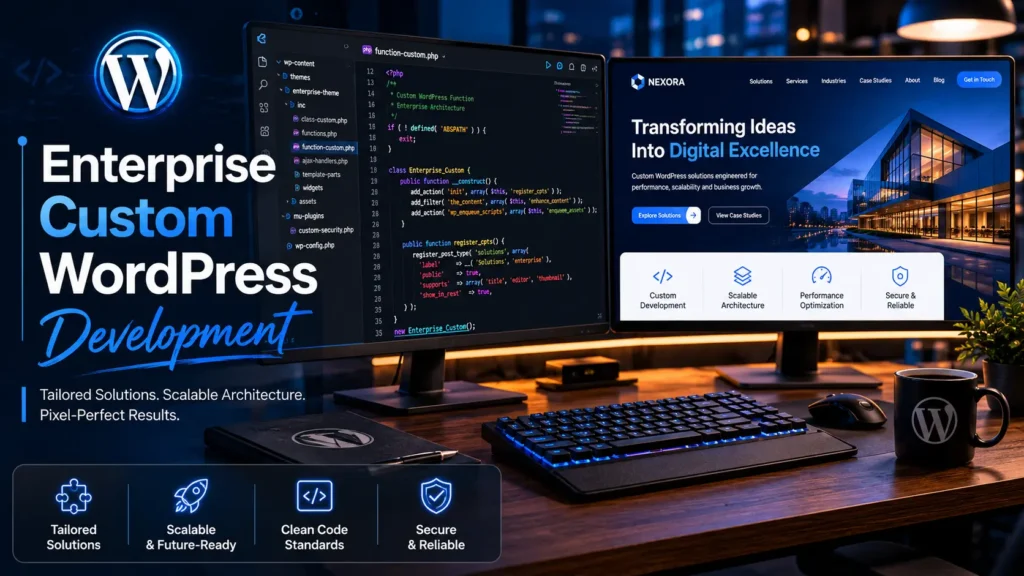
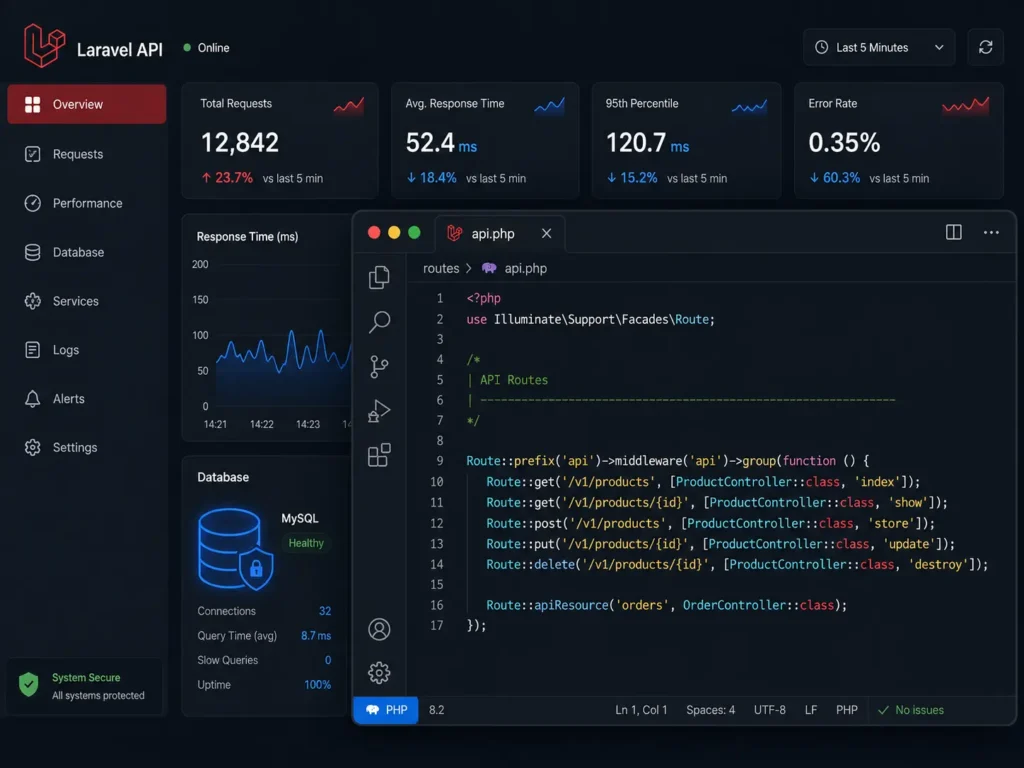
custom WordPress development services on a dual monitor developer setup showing PHP code and website rendering.

1. The Real Cost of a Commercial WordPress Theme

Most digital agencies default to commercial themes — Divi, Avada, or a multipurpose Envato template — because it lowers their upfront build cost. Paired with a page builder like Elementor or WPBakery, they can ship a site in two weeks. The client sees a live URL, signs off, and the agency moves on.

What the client inherits is a different story.

Performance that degrades over time

Commercial themes are designed to work for every type of business across every industry. To pull that off, they load enormous CSS and JavaScript libraries on every single page of your site — whether those features are being used or not. If your website uses 15% of what a commercial theme offers, the other 85% is still being loaded in the background. Google’s Core Web Vitals measure this. Your rankings reflect it. Your mobile users feel it.

According to Google’s Web Almanac, sites with poor Core Web Vitals scores see measurably lower conversion rates and higher bounce rates — directly affecting revenue. This is not a theoretical SEO concern. It is a business problem.

The plugin dependency trap

When a theme cannot handle a specific feature, the developer installs a plugin. Then another. Then another. By the time a commercial WordPress build is fully configured, it is common to see 25 to 40 active plugins running simultaneously. Every single one of those plugins is maintained by a different developer, updated on a different schedule, and tested against a different subset of the WordPress ecosystem.

When WordPress releases a core update — which it does regularly — these plugins conflict. The result is broken layouts, features that stop working, or the White Screen of Death that takes your site entirely offline. These incidents rarely happen at a convenient time.

A backend your team avoids

Commercial theme backends fill up fast. Duplicate menu items, broken theme options panels, and overlapping layout controls from competing plugins create a backend that nobody wants to navigate. Publishing a new landing page or updating a case study becomes a task that requires calling a developer. At that point, the website has stopped being a marketing asset and started being a bottleneck.

Custom WordPress development services eliminate all of this by building only what you need, structured the way your business actually works.


2. What Pixel-Perfect Figma to WordPress Conversion Actually Means

A lot of agencies claim they do Figma to WordPress conversion. What most of them actually do is load a commercial theme, find the closest pre-built layout, and adjust the colors and fonts until it looks approximately right. That is not conversion. That is approximation.

Our process is different. We start with a stripped-down base theme — typically Underscores (_s), an industry-standard blank slate developed by the core WordPress team — and we write every element from scratch.

Your approved Figma file is treated as a specification, not a reference. Every spacing value, every font weight, every hover state, every responsive breakpoint is coded to match. Not close enough. Exactly.

The result is a frontend that carries zero dead weight. There are no unused CSS classes sitting in the stylesheet from a component you did not use. There are no JavaScript libraries loaded for a slider that does not appear on your site. Every kilobyte in the codebase is there for a reason, and that architectural discipline translates directly into faster load times and cleaner performance scores.

This approach also means your design integrity is preserved across every device. Ultrawide monitors, standard desktops, tablets, and mobile screens all render your site exactly as the design specifies — not as a page builder interprets it.


3. Advanced Custom Fields: Turning WordPress Into a Real Content System

The default WordPress editing experience was built for blog posts. If your business is managing a complex service directory, a gated resource library, a structured team roster, or any kind of relational data, the default setup works against you.

Advanced Custom Fields (ACF) is the bridge between what WordPress can do by default and what an enterprise content system actually needs. We use it heavily in every custom WordPress development project we take on.

Here is what that looks like in practice: instead of a single content editor where your team pastes text and hopes the formatting holds, we build structured field groups that match your exact content model. A service page might have separate fields for the headline, the subheadline, a feature list, a testimonial block, a CTA label, and a CTA destination. Each field has a label, a description, and validation logic.

Your marketing team fills in a clean, labeled form. The frontend renders it exactly as designed. No HTML knowledge required. No formatting guesswork. No developer needed for routine content updates.

This is not just a workflow improvement — it is a structural shift in how your organization manages its digital presence. When content is stored in a structured, queryable format rather than pasted into a text block, it becomes possible to surface it dynamically, filter it, and repurpose it across different parts of the site without rebuilding anything.

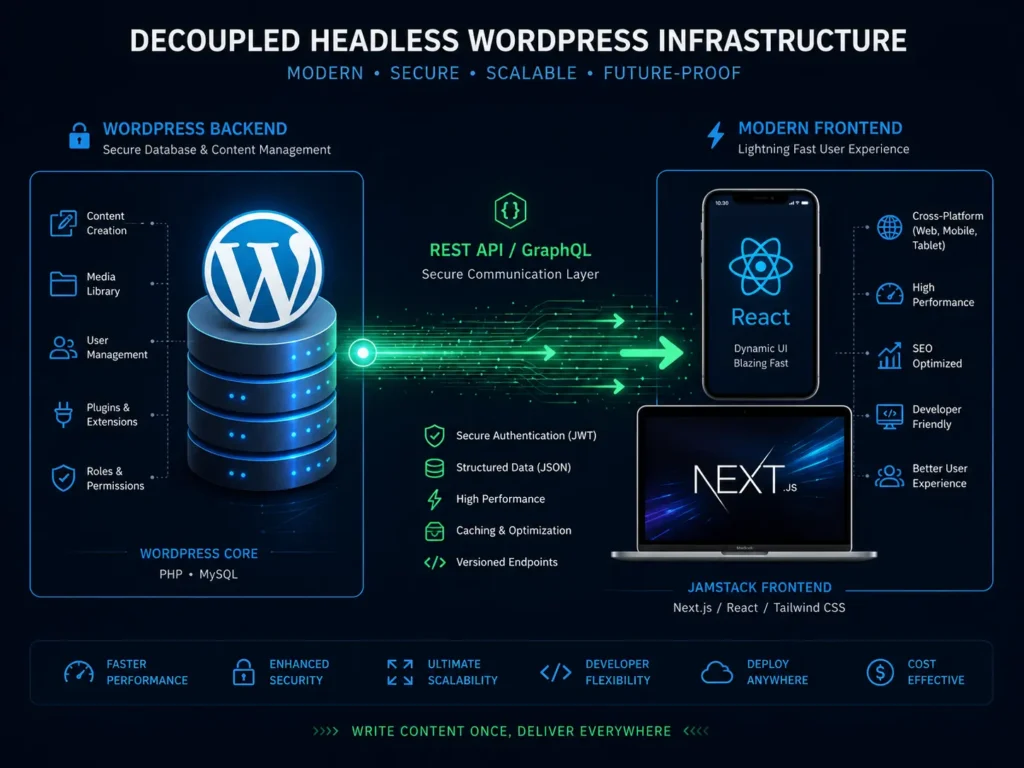
Diagram illustrating headless WordPress architecture connecting a React frontend to a WordPress backend via REST API.

4. Native Gutenberg Block Development: No More Page Builder Dependency

Third-party page builders have dominated WordPress development for the better part of a decade, and they have caused an enormous amount of damage along the way. Elementor, WPBakery, and similar tools insert proprietary shortcodes into your content database. If you ever need to switch builders — or if the builder plugin is deprecated — your content is locked in a format only that plugin understands.

Beyond the lock-in problem, page builders are heavy. They load their own JavaScript frameworks, their own CSS libraries, their own widget logic. All of it runs on every page, regardless of whether that page actually uses those elements.

We take a different approach. We build custom Gutenberg blocks natively — written in React, integrated directly into the WordPress block editor, and designed specifically around your brand’s content types and layout patterns.

What your team gets is a proprietary block library. A hero block that always renders your approved headline layout. A testimonial block that pulls from your structured ACF data. A resource grid block that filters by category. A CTA block with your brand’s exact button styles baked in.

These blocks cannot go off-brand because they were built to your brand specification. They load quickly because they carry no external dependencies. And because they live inside the native WordPress editor, your team never needs a third-party plugin to manage content.


5. Headless WordPress for Enterprise-Level Performance

For most businesses, a well-built custom WordPress site — lightweight code, proper caching, optimized images, clean architecture — delivers the performance they need. For global enterprises, high-volume publishers, and SaaS platforms that serve millions of sessions, there is a ceiling to what a traditional WordPress setup can achieve.

That ceiling is where headless WordPress architecture begins.

In a standard WordPress installation, the frontend and backend live on the same server and are tightly coupled. When a user requests a page, WordPress queries the database, assembles the template, and delivers HTML. Under high load, this process creates bottlenecks.

A headless setup separates them entirely. WordPress becomes a pure content repository — a headless CMS that stores and serves data. A completely separate frontend application, built in Next.js or React, handles what users actually see. The two communicate through the WordPress REST API or GraphQL.

The advantages are significant:

Speed: The frontend can be statically generated or server-rendered with edge caching, delivering near-instantaneous load times regardless of server load.

Security: The WordPress database is not publicly exposed. The most common WordPress attack vectors — malicious login attempts, XML-RPC exploits, database injection through the frontend — do not apply to a properly configured headless deployment.

Omnichannel delivery: The same WordPress content can be pushed to a website, a mobile application, a digital kiosk, and a voice interface without duplicating the content management workflow.

Your content team keeps working in the WordPress dashboard they already know. Your users get an experience that loads like a native application.

6. Core Web Vitals Optimization and Enterprise Security Hardening

Building a custom WordPress site is not just about what the code does — it is about what the code does not do. Every unnecessary library, every unoptimized image, every redundant database call is a tax on your site’s performance.

Our custom WordPress development services are built around eliminating that tax from the start.

Performance built into the architecture

We defer non-critical JavaScript so it does not block page rendering. We generate WebP versions of every image and serve them with proper lazy loading. We minify CSS and scope it to the components that actually use it. We implement object caching at the database layer and full-page caching at the server layer.

The result: our custom builds consistently score above 90 on Google PageSpeed Insights for both mobile and desktop — not because we ran a speed optimization plugin at the end, but because performance was designed into the structure from the beginning.

Security that does not rely on luck

Default WordPress installations are predictable. The login URL is /wp-admin. The database prefix is wp_. The user enumeration endpoint is publicly accessible. Attackers know all of this because it is the same for every standard installation.

We change the defaults. Login URLs are customized. Database inputs are sanitized against SQL injection. XML-RPC is locked down. User enumeration is blocked. Applications are deployed on managed cloud infrastructure with environment separation between staging and production.

Your data does not rely on a security plugin to stay protected — the architecture itself is hardened.

7. Custom WooCommerce Development for High-Volume Commerce

Off-the-shelf WooCommerce setups — a default theme, a few extension plugins, and a standard checkout flow — work well enough for small stores. For brands running thousands of SKUs, complex pricing logic, subscription models, or B2B order workflows, the default WooCommerce configuration runs out of road quickly.

Custom WooCommerce development means engineering the commerce layer around your actual business rules. Custom product data structures built with ACF. Pricing logic that reflects your actual wholesale tiers, discount rules, or subscription intervals. Checkout flows designed for your specific customer journey, not for the average of all possible customers.

The performance principles are the same: custom code, no unnecessary plugins, architecture built for scale rather than patched for it.


Frequently Asked Questions

Q: Why invest in custom WordPress development services instead of a premium commercial theme?

Premium themes are built to serve thousands of businesses simultaneously. To do that, they include features, layouts, and code for use cases that have nothing to do with your business. That code still loads on every page. Custom development builds exactly what your business needs — nothing more, nothing less. The result is a faster site, a cleaner backend, and a team that can actually manage content without calling a developer.

Q: Can you convert our Figma designs into a fully functioning WordPress site?

Yes — this is a core part of what we do. We write custom HTML5, CSS3, and JavaScript to match your approved Figma files exactly. We do not use page builders to approximate your design. Every breakpoint, every spacing value, every interactive state is coded to match the specification.

Q: What is the real difference between standard WordPress and headless WordPress?

Standard WordPress handles both content management and frontend rendering on the same server. Headless WordPress separates them — WordPress manages content in the background, and a separate frontend application built in Next.js or React handles what users see. This improves load times, strengthens security, and allows the same content to be delivered to multiple surfaces simultaneously.

Q: How do you handle WordPress core updates on a custom build?

Because our builds do not depend on dozens of third-party plugins, core updates are stable and predictable. We manage updates in a staging environment, verify nothing breaks, and then push to production. Your site does not go offline during maintenance cycles.

Q: Will our marketing team be able to update the site without developer help?

Yes — completely. Custom theme does not mean locked theme. We build backend interfaces using Advanced Custom Fields and custom Gutenberg blocks that are designed specifically for how your team publishes. Text, images, new landing pages, blog posts — all fully manageable without touching code.

Q: Do you offer ongoing maintenance after the build is complete?

Yes. We act as a long-term technical partner, providing managed maintenance, proactive security patching, performance monitoring, and priority support. Custom WordPress development services are not a one-time handoff — they are the beginning of an ongoing relationship.


Stop Letting Your Website Hold Your Business Back

Your digital infrastructure should work as hard as your team does. A site built on a commercial theme and a stack of fragile plugins is not built for growth — it is built for launch day, and it starts working against you shortly after.

Custom WordPress development services give you a foundation that performs under real conditions, that your team can manage independently, and that scales with your business instead of constraining it.

MarkupMarvel builds WordPress platforms engineered for businesses that are serious about growth.

7 Proven Custom Shopify Development Services That Convert

[toc]

7 Proven Custom Shopify Development Services That Convert

There is a moment every growing e-commerce brand hits. The store is live, sales are coming in, the marketing team is running paid ads, and things feel like they are working. Then a seasonal traffic spike comes through, the site slows to a crawl, the checkout starts throwing errors, and a week’s worth of ad spend evaporates into a conversion rate that makes no sense on paper.

The store did not fail because the product was wrong. It failed because the foundation was never built for that level of pressure.

Most Shopify stores start on a commercial theme. That is a completely reasonable decision at launch — it is fast, affordable, and gets you to market quickly. But a $200 theme from the Shopify Theme Store is not built to handle the complexity that comes with real scale. It is built to look good in a preview screenshot.

Custom Shopify development is what bridges the gap between a store that works on launch day and a store that works at 10x your current volume, with complex pricing logic, third-party system integrations, and a checkout flow engineered specifically around how your customers actually buy.

At MarkupMarvel, we build Shopify storefronts from scratch. No commercial templates, no page builder shortcuts, no unnecessary app dependencies. Just clean, modular code built around your specific business model — and a storefront your customers will actually want to use.

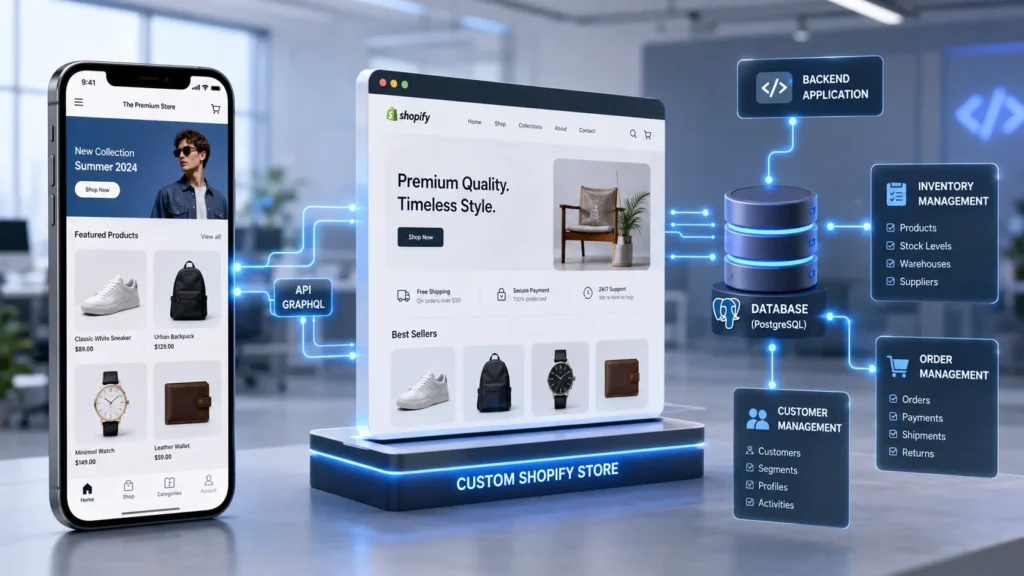
Custom Shopify development architecture showing mobile and desktop syncing.

1. Why High-Volume Brands Outgrow Standard Shopify Themes

Buying a standard Shopify theme at launch is not a mistake. For most early-stage brands, it is the right call — you need to validate the product, test the market, and move fast. A commercial theme lets you do that without a five-figure development bill.

The problem is not the theme itself. The problem is what happens when you try to grow on top of it.

App bloat that quietly destroys your performance

Standard Shopify themes do not do much on their own. To add the features a real store needs — product upsells, custom swatches, advanced reviews, countdown timers, loyalty programs — store owners install apps. Then more apps. Then a few more to fix problems the first apps created.

Every app you install injects JavaScript into your frontend. That JavaScript runs on every page load, whether the feature is being used on that page or not. Your Time to First Byte climbs. Your DOM size balloons. Your Core Web Vitals scores drop. And your conversion rate follows them down.

According to Shopify’s own performance research, a one-second delay in page load time can reduce conversions by up to 7%. At meaningful revenue levels, that is not a rounding error.

Checkout flows that do not match how your customers buy

Commercial themes are designed around a single, generic purchasing journey. If your business operates in the B2B space — with wholesale pricing tiers, net-30 payment terms, minimum order quantities, or gated catalogs — a standard theme cannot handle that logic. You end up building workarounds on top of workarounds, and your customers feel every one of them.

Cart abandonment is rarely about price. It is almost always about friction. When the checkout experience does not match what a buyer expects, they leave.

A storefront that looks like everyone else’s

If you are using one of the top-selling Shopify themes, so are thousands of your competitors. Premium brands cannot afford to look like a dropshipping store. When your visual identity is indistinguishable from the next brand in the category, you compete on price — and that is a race you do not want to run.

Custom Shopify development solves all three of these problems at the architecture level, not with more apps layered on top.


2. What Custom Shopify Development Actually Involves

The term gets used loosely, so it is worth being specific about what real custom Shopify development looks like versus what agencies often mean when they say it.

A lot of agencies call it “custom” when they take a commercial theme and change the colors, fonts, and homepage layout. That is theme customization. It is not custom development, and it carries all the same limitations of the original theme.

True custom Shopify development means starting from a blank file. Our engineers write bespoke Shopify Liquid, HTML5, CSS3, and modern JavaScript from scratch — no commercial theme base, no page builder generating bloated code underneath a clean-looking surface.

What that produces is a theme architecture that exists nowhere else. Every component is built for your specific product catalog, your specific customer journey, and your specific business logic. The codebase contains nothing your store does not use. There is no dead weight, no redundant functionality, no features from someone else’s use case running in the background.

The result shows up in your performance scores, your checkout conversion rate, and the experience your customers have when they land on your store.


3. Figma to Shopify Liquid: Where Design Meets Engineering

Custom Shopify development without strong design direction produces a fast site that nobody wants to use. Strong design without proper engineering produces a beautiful site that falls apart under pressure. The two have to work together from the beginning.

Our process starts in Figma. Before a single line of Liquid is written, we work through high-fidelity wireframes and design prototypes that map out every page, every component, and every interaction state. Product pages, collection pages, cart drawers, checkout flows, mobile navigation — everything is resolved at the design stage, not discovered during development.

Once the design is approved, our frontend engineers translate those Figma files into Shopify Liquid with the same level of precision. We use modern CSS Grid and fluid typography to ensure the layout adapts correctly across every screen size — ultrawide desktop monitors, standard laptops, tablets, and mobile devices on slow connections.

The standard we hold ourselves to: if it is in the Figma file, it is in the live site. Not approximately. Exactly.

This matters because every visual inconsistency between your design and your live store is a signal to customers that something is slightly off. Trust is built in details, and details are where commercial themes consistently fall short.

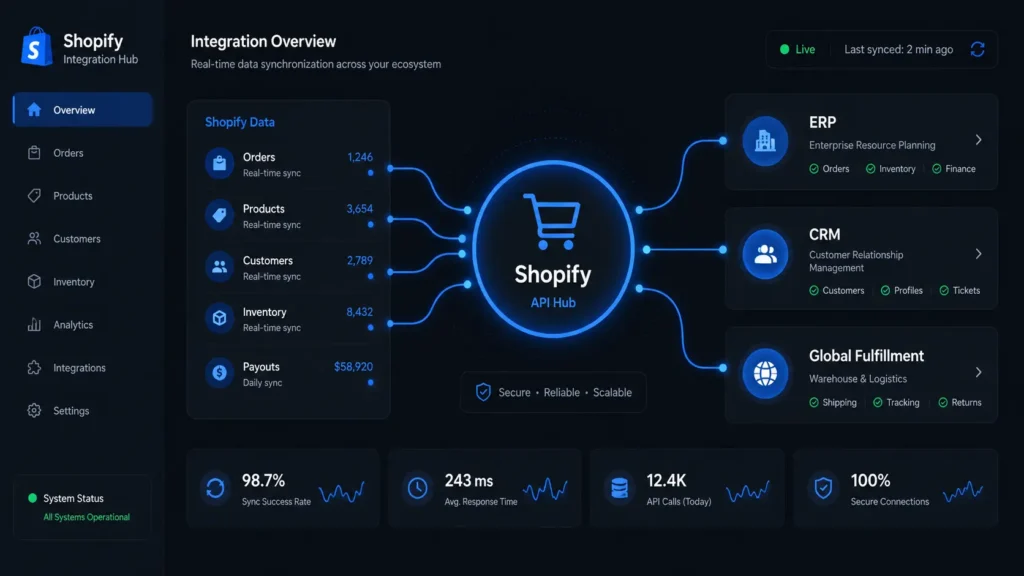
Shopify API integration connecting CRM, ERP, and payment gateways.

4. Advanced API Integrations: Connecting Your Store to Your Operation

A Shopify storefront does not exist in isolation. For most scaling brands, it is the customer-facing layer of a much larger operational stack — inventory systems, fulfillment centers, CRM platforms, finance tools, customer service software.

When those systems are not properly connected, the gaps show up in ways that hurt the business. Orders that have to be manually re-entered into an ERP. Inventory counts that are always slightly wrong. Customer records split across three platforms with no single source of truth. A returns process that requires five manual steps and still produces errors.

Our custom Shopify development work includes engineering the integrations that eliminate those gaps.

We connect Shopify to ERP systems like NetSuite and SAP, sync order and customer data with CRMs like Salesforce and HubSpot, integrate with third-party logistics providers and fulfillment centers, and build custom API bridges for platforms that do not have native Shopify connections.

These are not plug-and-play app installations. They are engineered integrations — built to handle your specific data structures, your error cases, and your edge conditions. Real-time sync, not batch updates. Clean data flow, not workarounds.

5. Headless Commerce: The Architecture for Serious Performance

For most Shopify stores, a well-built custom Liquid theme — clean code, optimized images, minimal app dependency — delivers the performance they need. For brands operating at enterprise scale, with high concurrent traffic, complex content requirements, or omnichannel distribution needs, there is a ceiling to what a traditional Liquid theme can achieve.

Headless commerce is how you build past that ceiling.

In a standard Shopify setup, the frontend and backend are tightly coupled. Shopify renders your Liquid templates server-side and delivers HTML to the browser. Under high load, or when a page requires pulling data from multiple sources, this process creates latency.

A headless architecture separates them. Shopify handles what it does best — secure checkout, payment processing, inventory management, order fulfillment. A completely separate frontend application, built in React or Next.js, handles what customers see. The two communicate through Shopify’s Storefront API.

What this produces in practice:

Page transitions happen in milliseconds because the browser does not reload the full page — it fetches only the data it needs and updates the relevant components. The experience feels like a native mobile application, not a website.

The same Shopify backend can serve content to your website, your mobile app, a physical retail kiosk, and any other surface simultaneously. One content management workflow, consistent data everywhere.

And because Shopify’s checkout and payment infrastructure remains intact, you keep all the compliance, security, and reliability that comes with it — without the frontend performance constraints.

Your content and marketing teams keep working in the interfaces they already know. Your customers get a storefront that loads faster than anything built on a commercial theme.


6. B2B Shopify Development: Wholesale and Enterprise Commerce

B2B e-commerce has specific requirements that standard Shopify themes are simply not designed to handle. Wholesale pricing, account-based access, net payment terms, minimum order quantities, bulk ordering tools — these are not features you can approximate with a plugin combination.

With Shopify Plus and custom development, we build proper B2B commerce infrastructure.

Gated wholesale catalogs that require account approval before pricing is visible. Customer-specific pricing tiers that apply automatically based on account type or order history. Net-30 and net-60 payment terms integrated into the checkout flow. Minimum order quantity enforcement that works cleanly without confusing the buyer. Quick-order forms designed for buyers who know exactly what they need and want to move fast.

The B2B buyer has different expectations than a retail consumer. They are not browsing — they are purchasing on a schedule, often with specific approval workflows on their end. The storefront experience needs to match that reality, not force them into a consumer checkout flow that was never designed for them.


7. Platform Migration to Shopify: Zero Downtime, No SEO Loss

Replatforming an established e-commerce store is one of the most high-stakes technical projects a brand can undertake. Done wrong, it means lost customer data, broken order histories, and years of organic search rankings wiped out in a single weekend.

We have handled migrations from WooCommerce, Magento, BigCommerce, and custom-built platforms to Shopify and Shopify Plus. The process is methodical, documented at every step, and built around one non-negotiable requirement: nothing gets lost.

Data integrity: Every product, every customer record, every order history is mapped and migrated with validation checks before anything goes live. Encrypted passwords are handled correctly. Historical data is preserved in the format Shopify requires.

SEO continuity: Every URL on your existing store gets a 1-to-1 301 redirect to its counterpart on the new Shopify store. All metadata, structured schema, and canonical tags are transferred. According to Google’s migration guidelines, proper redirect mapping is the single most important factor in preserving organic rankings during a platform change. We treat it accordingly.

Zero downtime: The migration happens in a staging environment. Your existing store stays live until the new store is fully validated and ready. The cutover is planned, tested, and executed during your lowest-traffic window.


Frequently Asked Questions

Q: Why is custom Shopify development worth it over a premium theme?

Premium themes are built to appeal to as many businesses as possible, which means they include code for use cases that have nothing to do with yours. That code loads on every page. Custom Shopify development gives you a codebase built exclusively for your store — nothing unused, nothing unnecessary. The result is faster load times, a cleaner checkout experience, and a storefront that actually reflects your brand.

Q: Can you build complex B2B features on Shopify?

Yes. With Shopify Plus and custom development, we build full wholesale infrastructure — gated catalogs, account-based pricing, net payment terms, MOQ enforcement, and bulk ordering tools. These are engineered features, not plugin approximations.

Q: If we go headless, can our marketing team still manage content?

Yes. We integrate headless CMS platforms like Sanity or Contentful into the frontend so your marketing team has a clean, intuitive editing interface. They can update banners, build landing pages, and publish content without touching code.

Q: How do you handle platform migrations without losing SEO rankings?

We build a complete 1-to-1 301 redirect map before anything goes live, transfer all metadata and structured schema, and validate every redirect after launch. SEO continuity is treated as a migration requirement, not an afterthought.

Q: Do you offer support after the store launches?

Yes. We provide ongoing technical support, security monitoring, performance audits, and app stack reviews. A custom Shopify store is a long-term asset, and we treat the post-launch relationship accordingly.

Q: How long does a custom Shopify development project take?

Timeline depends on scope. A custom Liquid theme build typically runs 6 to 10 weeks. A headless commerce project with API integrations is usually 10 to 16 weeks. We provide a detailed project timeline during the scoping phase so there are no surprises.


Ready to Build a Shopify Store That Actually Scales?

A commercial theme gets you to launch. Custom Shopify development gets you to scale. If your store is generating real revenue and you are starting to feel the ceiling of what your current setup can handle, that is the right time to build properly.

We engineer Shopify storefronts that perform under pressure, convert at a higher rate, and give your team the backend control they need to move fast without calling a developer every time something needs to change.

MarkupMarvel builds e-commerce infrastructure for brands that are serious about growth.

7 Expert MERN Stack Development Services for Fast SaaS

[toc]

7 Expert MERN Stack Development Services for Fast SaaS Growth

Most web applications fail before they scale — not because the idea was wrong, but because the architecture was built for the wrong kind of growth.

A WordPress site or a basic PHP backend can get a product to market. What it cannot do is handle thousands of concurrent users, process real-time data streams, or serve the kind of fluid, instant interface that modern B2B users expect. When you push a traditional CMS setup beyond what it was designed for, the cracks show up fast — slow load times, database bottlenecks, session errors under traffic, and a development team spending more time patching than building.

MERN stack development services exist for exactly this problem. The MERN stack — MongoDB, Express.js, React, and Node.js — is a full-stack JavaScript architecture built specifically for dynamic, data-heavy, real-time web applications. It is the foundation that powers some of the most widely used SaaS platforms in the world, and for good reason.

At MarkupMarvel, we use the MERN stack to build web applications that are engineered to scale — not held together with workarounds. Whether you are launching an MVP, rebuilding a legacy system, or architecting a multi-tenant B2B platform, we build the technical foundation your product actually needs.

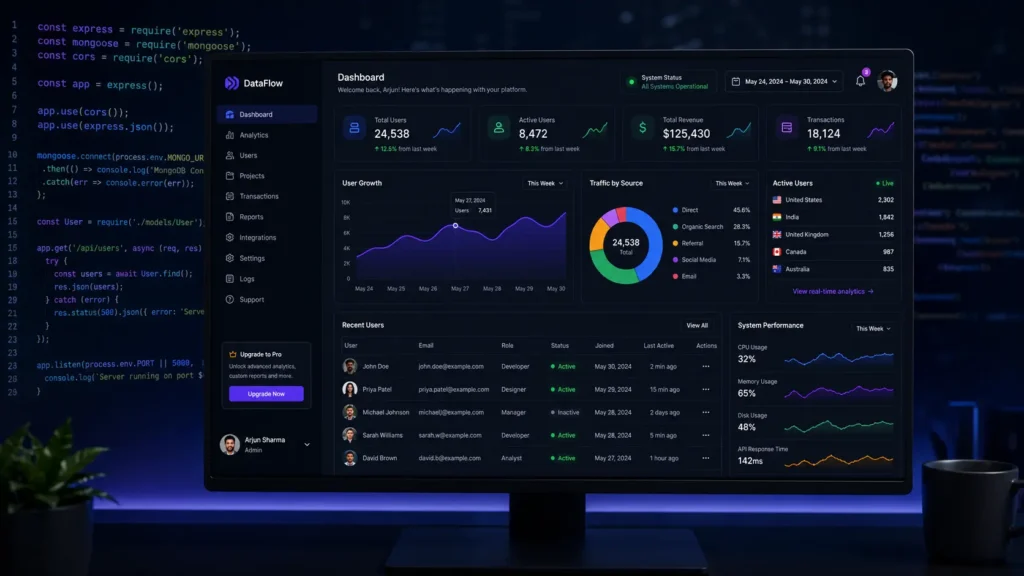
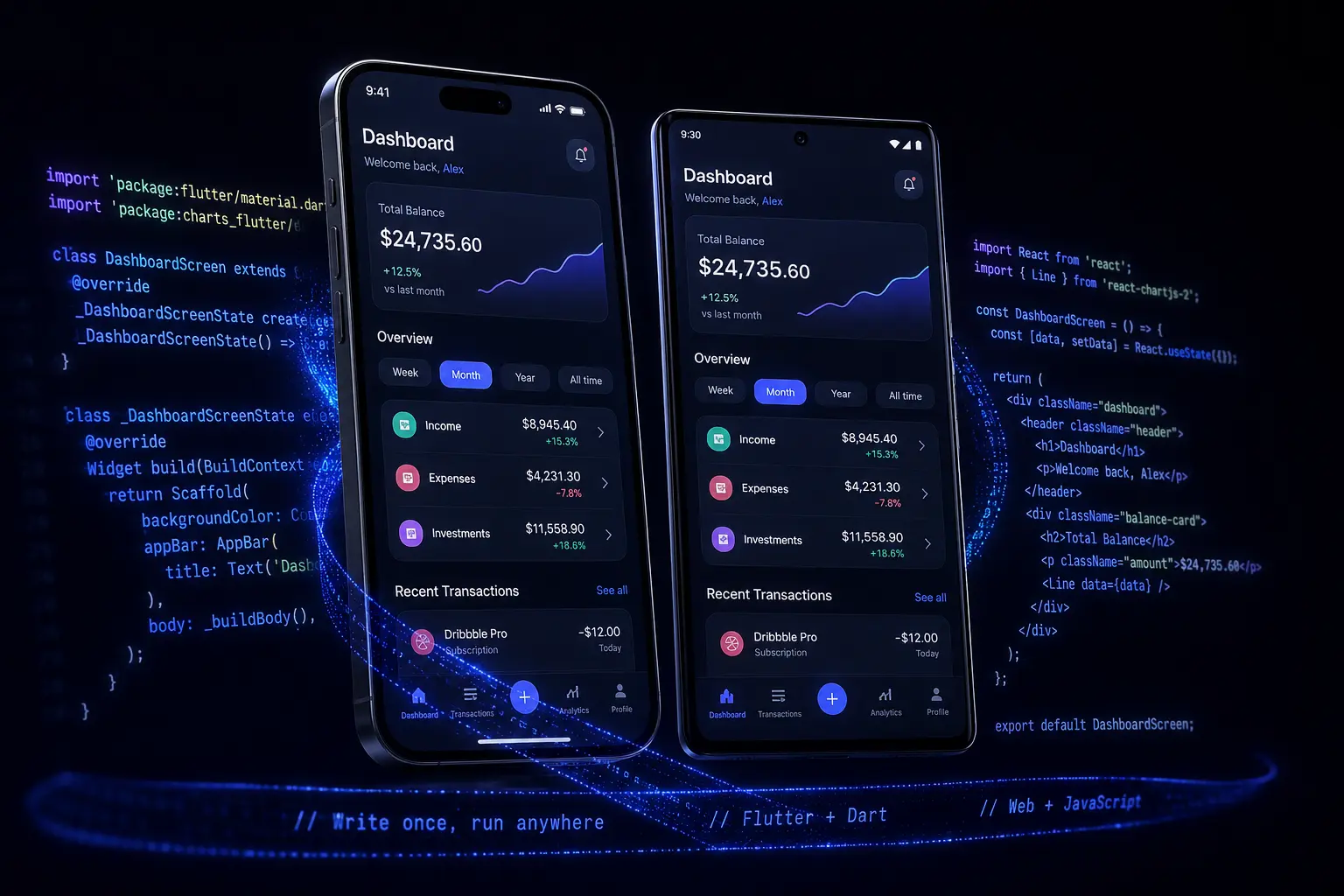
Modern SaaS dashboard UI representing MERN stack development services.

1. What the MERN Stack Actually Is — and Why It Matters

The MERN stack is not a single tool. It is a collection of four technologies that work together across the entire application — from the database layer to the user interface — all in JavaScript.

MongoDB handles data storage. Unlike traditional SQL databases that enforce rigid table structures, MongoDB stores data in flexible JSON-like documents. This makes it well-suited for applications where the data model evolves over time, or where the data itself is complex and nested. For SaaS platforms handling large volumes of user-generated data, MongoDB’s horizontal scaling capabilities — sharding across multiple servers — mean the database grows with your user base rather than against it.

Express.js sits on top of Node.js and handles server-side routing and API logic. It is minimal by design, which keeps the backend lean and gives engineers the control they need to build exactly what the application requires without fighting a heavyweight framework.

React manages the frontend. Developed and maintained by Meta, React builds user interfaces from reusable components — self-contained pieces of UI that manage their own state and render independently. When data changes, only the affected components update. The rest of the interface stays untouched. This is what gives React applications their characteristic speed and responsiveness.

Node.js is the runtime that makes JavaScript possible on the server side. Its non-blocking, event-driven architecture means it handles concurrent requests efficiently — without the thread-per-request model that causes traditional PHP servers to slow down under load.

The strategic advantage of this stack is consistency. One language — JavaScript — runs across the entire application. Your frontend engineers can read backend code. Your backend engineers understand the data structures the frontend consumes. Context switching is minimal, onboarding is faster, and the codebase stays coherent as the team grows.

According to the Stack Overflow Developer Survey, Node.js and React have consistently ranked among the most widely used technologies for web development — reflecting how broadly this architecture has been adopted across the industry.


2. Why B2B SaaS Needs Single-Page Applications

Traditional websites reload the entire page every time a user takes an action. Click a link — full reload. Submit a form — full reload. Navigate between sections — full reload. For a content site, this is acceptable. For a B2B tool where users are performing dozens of actions every hour, it creates a friction that compounds quickly.

React enables Single-Page Applications, and this architectural choice has a direct impact on user retention.

When a user loads a React SaaS application, the core application shell loads once. After that, navigation between sections, data updates, and UI changes happen dynamically — only the specific data that changed is fetched and rendered. The page does not reload. There is no visible flash, no loading spinner between every action, no latency that breaks the user’s workflow.

For high-ticket B2B platforms where user retention directly determines monthly recurring revenue, this level of responsiveness is not a nice-to-have. It is what separates tools people use daily from tools they churn off of after the trial period.

The difference is especially pronounced on dashboards, data tables, and any interface where users are managing, filtering, or updating records in real time. A well-built React SPA handles all of this without the user ever feeling like they are waiting on the software.


3. Scalable MongoDB Database Architecture

A SaaS application is only as reliable as its data layer. Poor database architecture is one of the most common reasons early-stage platforms run into performance problems as they grow — queries that were fast at 1,000 users become slow at 50,000, and the fixes get more expensive the longer they are delayed.

We design MongoDB database schemas around how your application actually queries data, not just how it stores it. The difference matters: a schema that looks clean in isolation can create performance bottlenecks in production if it requires complex joins or repeated full-collection scans to answer common queries.

For multi-tenant SaaS platforms, we architect the data isolation layer from the beginning. Depending on your compliance requirements and scale targets, this means either logical isolation — where tenant data lives in shared collections but is strictly partitioned by tenant ID — or physical isolation, where each client operates against a dedicated MongoDB database. Both approaches have trade-offs, and we work through those trade-offs with you during the architecture phase, not after launch.

For applications handling high write volumes — IoT data ingestion, event tracking, real-time logging — we implement MongoDB’s native sharding to distribute write load across multiple nodes. This keeps query performance consistent as data volume grows, rather than degrading linearly.

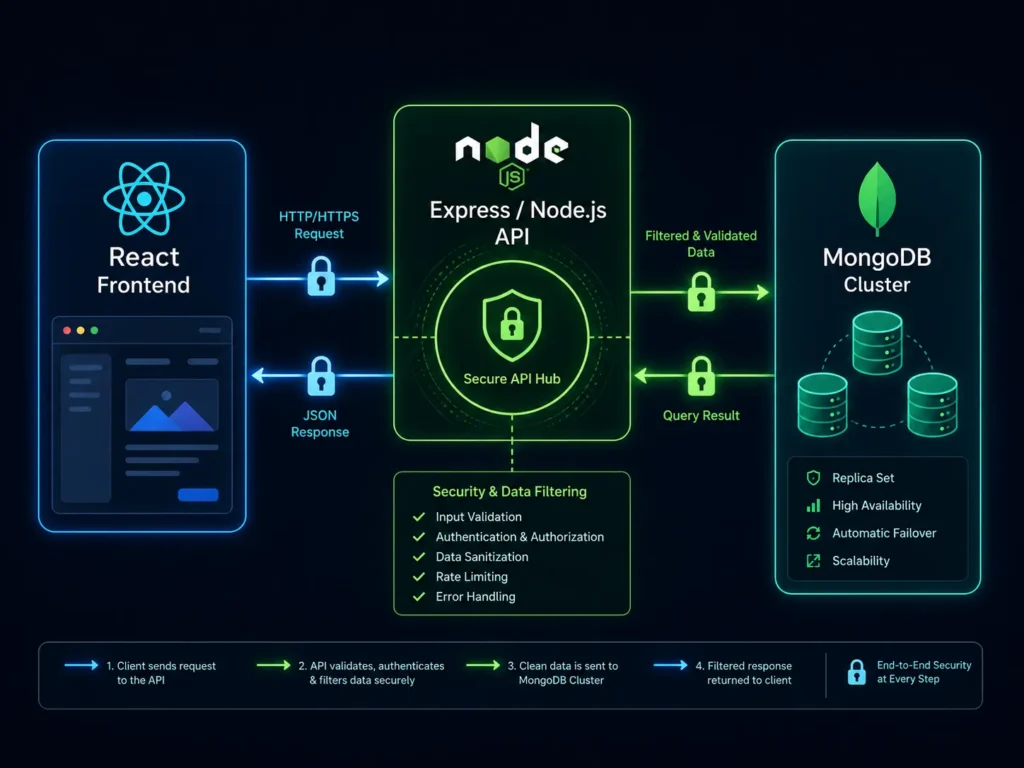
Backend Node.js API architecture handling secure database requests.

4. Secure Node.js and Express API Engineering

The API layer is where most of the application’s business logic lives — authentication, authorization, data validation, third-party integrations, and the rules that determine what each user can see and do. Getting this layer right is not optional.

We build RESTful APIs and GraphQL endpoints using Express.js on Node.js. Because Node.js is non-blocking, it handles concurrent requests efficiently — thousands of simultaneous API calls do not queue behind each other the way they do in synchronous server environments. For SaaS platforms with unpredictable traffic patterns, this matters.

Security is built into the architecture from the start, not added as a layer on top:

Authentication: We implement JWT (JSON Web Token) based authentication with proper token expiry, refresh token rotation, and secure storage practices. User sessions are verifiable, short-lived, and revocable.

Authorization: Role-Based Access Control (RBAC) is built into the middleware layer. Every API endpoint validates not just who the user is, but what they are permitted to do. Standard users cannot reach admin functions — not because of a UI restriction, but because the API itself rejects the request.

Data validation and sanitization: Input validation happens at the API layer before data reaches the database. SQL injection is not a concern with MongoDB, but NoSQL injection and malformed data payloads are — we handle both.

For third-party integrations, we connect your application’s backend to the services your business runs on: Stripe for subscription billing, SendGrid for transactional email, Twilio for SMS workflows, and custom API bridges for enterprise tools that require direct integration.

5. Component-Driven React Interface Development

A well-engineered backend paired with a poorly built frontend produces a product that works but frustrates the people using it. Interface quality is not cosmetic — it directly affects how quickly users learn the product, how efficiently they use it, and whether they stay.

We build React interfaces from Figma design files, translating approved designs into component-based UI with the same precision standard we apply to backend work. Every component — data tables, navigation modules, form inputs, modal dialogs, notification systems — is built to be reusable, testable, and consistent across the application.

State management is handled based on what the application actually needs. For complex global state — user session data, multi-step workflow state, real-time notifications — we use Redux or Zustand. For simpler local state, React’s built-in Context API is sufficient, and we do not add complexity that the application does not require.

The practical result for your users: actions feel instant. A user updates a record in one part of the application, and the change reflects immediately in every other component that displays that data — without a page reload, without manual refresh, without any visible lag.

6. Real-Time WebSocket Integration

Standard HTTP works on a request-response model — the client asks, the server answers, the connection closes. For most interactions, this is fine. For use cases that require live updates without user-initiated requests, it falls short.

Team collaboration tools, live chat support systems, logistics and delivery tracking, financial trading dashboards, multiplayer tools, real-time notification systems — all of these require a persistent connection between the client and the server that allows the server to push data the moment it changes.

We implement WebSocket protocols using Socket.io, which maintains a persistent two-way communication channel between the user’s browser and the application server. When new data arrives — a new message, a status change, a live metric update — the server pushes it to the relevant connected clients immediately. Users see changes as they happen, not on their next refresh.

This is not a complex add-on for the right architecture — it is a natural part of how a well-built Node.js application handles concurrent connections. We design for real-time from the beginning when the use case requires it, rather than retrofitting it into an architecture that was not built for it.


7. Cloud Deployment, DevOps, and Infrastructure

Building a strong application is one part of the work. Deploying it in a way that keeps it available, performant, and secure under production conditions is the other.

We handle full deployment to AWS or Google Cloud Platform. The specific infrastructure configuration depends on your application’s traffic patterns, compliance requirements, and growth trajectory — but the principles are consistent across every deployment we manage.

Containerization with Docker means your application runs in a consistent, isolated environment regardless of what is happening on the underlying host. The same container that runs in development runs in production, which eliminates an entire category of environment-specific bugs.

Kubernetes orchestration handles scaling. When traffic increases, Kubernetes spins up additional application containers automatically. When traffic drops, it scales back down. Your infrastructure matches your load in real time, which keeps costs predictable and performance consistent.

CI/CD pipelines automate the path from code commit to production deployment. When your engineering team ships a new feature, it moves through automated testing, staging verification, and production deployment without manual intervention at each step. This keeps release cycles short and reduces the risk of human error during deployment.

According to AWS’s infrastructure documentation, teams using CI/CD pipelines deploy changes significantly more frequently and recover from failures faster than teams relying on manual deployment processes. We build that capability into your infrastructure from launch.


Frequently Asked Questions

Q: Why choose MERN stack development services over PHP, Laravel, or Python?

The primary advantage is a consistent JavaScript environment across the full stack. Your frontend and backend speak the same language, which shortens development cycles, simplifies onboarding, and makes the codebase easier to maintain over time. Node.js also handles concurrent, real-time workloads more efficiently than traditional synchronous PHP — which matters significantly for data-heavy SaaS applications.

Q: Can a React SPA be properly optimized for SEO?

Yes. Standard client-side React has historically been difficult for search engine crawlers to index. We solve this with Next.js, which provides Server-Side Rendering (SSR) and Static Site Generation (SSG). This means Googlebot receives fully rendered HTML rather than a JavaScript shell — giving you the performance benefits of a React SPA with proper technical SEO.

Q: How do you handle multi-tenant architecture for B2B SaaS?

We architect the data isolation layer during the design phase. Logical isolation uses shared collections with strict tenant ID partitioning. Physical isolation uses dedicated databases per client. The right approach depends on your compliance requirements, expected client volume, and operational complexity. We walk through the trade-offs with you before writing a line of code.

Q: How do you secure a MERN stack application at the enterprise level?

Security is built into the architecture rather than added on top. JWT authentication with proper token rotation, RBAC middleware that validates permissions at the API level, input sanitization against injection attacks, data encryption at rest and in transit, and cloud infrastructure with environment separation between staging and production. These are standard practices in our builds, not optional add-ons.

Q: Do you provide post-launch DevOps support?

Yes. We provide ongoing infrastructure monitoring, security patching, performance reviews, and rapid incident response. For SaaS platforms, uptime is directly tied to revenue — we treat infrastructure support accordingly.

Q: How long does a MERN stack development project typically take?

An MVP with core features typically runs 8 to 14 weeks. A full-scale multi-tenant SaaS platform with third-party integrations and custom DevOps configuration is usually 16 to 24 weeks. We provide a detailed project timeline during the scoping phase so you can plan around it.


Ready to Build Your Web Application the Right Way?

Off-the-shelf software puts a ceiling on what your product can do. If you have identified a real problem worth solving — or a process inside your organization that needs a purpose-built tool — the architecture you choose in the first few months determines how far you can go without rebuilding.

MERN stack development services give you a foundation built for real scale: a database that grows horizontally, a backend that handles concurrent load, a frontend that responds like a native application, and infrastructure that adapts to your traffic automatically.

MarkupMarvel builds full-stack applications for founders and enterprise teams that need more than a template.

7 Best Custom Laravel Development Services That Scale

[toc]

7 Best Custom Laravel Development Services That Scale

Every software product has two sides. The frontend is what your users see — the interface they click through, the dashboard they log into, the forms they fill out. The backend is everything else: the logic that processes their data, enforces their permissions, talks to third-party systems, and keeps the whole thing running under load.

Most early-stage products get the frontend right. The backend is where things quietly fall apart.

A poorly architected backend does not announce itself immediately. It shows up later — in query times that creep up as the database grows, in permission logic that breaks when you add a new user role, in a codebase that no one on the team wants to touch because changing one thing reliably breaks something else. By the time the problems are obvious, fixing them is expensive.

Laravel is the framework that prevents this. Built on PHP’s MVC pattern, it provides the structure, the security tooling, and the database abstraction layer that complex business applications need — without forcing engineers to rebuild foundational infrastructure from scratch on every project.

At MarkupMarvel, our custom Laravel development services are used to build backends that hold up: SaaS platforms, B2B portals, internal enterprise tools, REST APIs, and legacy modernization projects where the stakes of getting it wrong are real.

Secure backend database architecture representing custom Laravel development services.

1. What Laravel Is and Why Enterprise Teams Use It

Laravel is an open-source PHP framework built around the MVC (Model-View-Controller) architectural pattern. It was designed for developers building applications with complex logic, relational data, and strict security requirements — not for simple content sites.

What separates Laravel from lightweight PHP setups is what it provides out of the box. Eloquent ORM for database interaction. A routing system that keeps API structure clean. Built-in CSRF protection and session security. A queue system for background jobs. An authentication scaffolding that handles the security fundamentals correctly by default.

For a backend engineer, this means less time writing boilerplate infrastructure and more time writing the business logic that is actually specific to your product. For a business, it means a faster build, a more consistent codebase, and a backend that does not require major rearchitecting every time requirements change.

Laravel has been consistently ranked among the most popular PHP frameworks in use globally, with a large, active developer community and a well-maintained ecosystem of first-party packages. When you build on Laravel, you are building on a foundation that is actively developed, well-documented, and widely understood — which matters when your team grows or when you need to bring in outside engineers.

According to the JetBrains Developer Ecosystem Survey, Laravel is the most widely used PHP framework among professional developers worldwide — a reflection of how broadly it has been adopted for production-grade applications.


2. What Happens When the Wrong Backend Architecture Is Used

One of the most common and expensive patterns we see is companies trying to build complex software on a foundation that was never designed for it. WordPress is the most frequent example — a platform built for content publishing, stretched into serving as an application backend for a CRM, a multi-vendor marketplace, or an internal operations portal.

The problems are predictable, but they rarely surface immediately. They compound over time.

Disorganized code that becomes impossible to maintain

Without the structural discipline of an MVC framework, backend code tends to sprawl. Business logic ends up scattered across files, mixed in with presentation code, duplicated in multiple places. A developer makes a change to one part of the system and breaks something in a completely unrelated area. Over time, the codebase reaches a state where nobody is confident making changes without extensive testing — and the testing itself takes longer because the logic is hard to isolate.

This is what engineers refer to as technical debt. It does not prevent the product from working today, but it slows down every change you make tomorrow, and the cost compounds as the codebase grows.

Security gaps that emerge under scrutiny

Handling sensitive business data — financial records, customer PII, proprietary operational data — requires deliberate, consistent security practices. SQL injection prevention, CSRF protection, proper password hashing, session management, input sanitization — these need to be built into the architecture, not handled inconsistently across different parts of the codebase.

Lightweight setups and plugin-heavy CMS installations frequently fail basic security audits. The vulnerabilities are not always obvious until a penetration test or, worse, an actual breach makes them visible.

Database performance that degrades as data grows

Queries that run in milliseconds at 10,000 rows become slow at 1,000,000 rows if the database was not designed with scale in mind. Missing indexes, unoptimized joins, the N+1 query problem — these are backend issues that do not show up in development but create serious problems in production. The result is server timeouts, 502 errors, and degraded performance exactly when traffic is highest.

Custom Laravel development services address all three of these problems at the architecture level.


3. MVC Architecture and Clean Codebase Standards

The Model-View-Controller pattern is the organizational foundation of every Laravel application we build. It is not just a convention — it is the structural decision that determines how maintainable the codebase will be six months and two years from now.

In practice, MVC means your business logic lives in one place, your database interactions live in another, and your presentation layer is separate from both. When a change needs to be made — a new pricing rule, a modified permission check, an updated data validation requirement — it happens in the correct layer without touching the others.

For development teams, this means bugs are easier to isolate and fixes are less likely to create unintended side effects. For business stakeholders, it means new features can be added without risking the stability of existing ones.

We follow Laravel’s conventions strictly and extend them where the application requires it. Controllers stay thin — they handle routing logic and delegate to service classes. Business logic lives in service and action classes, not in models or controllers. Database interactions go through Eloquent with explicit query scoping. The result is a codebase that a new engineer can navigate without a lengthy orientation.

Laravel API routing dashboard showing secure endpoints and server performance.

4. Eloquent ORM and Database Performance Optimization

Laravel’s Eloquent ORM is one of the framework’s most powerful features — and one of the most frequently misused. Writing Eloquent queries that work is straightforward. Writing Eloquent queries that perform well at scale requires deliberate engineering.

The most common performance problem in Laravel applications is the N+1 query problem. It happens when an application loads a collection of records and then issues a separate database query for each one to fetch related data. At small data volumes, it is invisible. At production scale, it causes query counts to multiply with record counts, and response times degrade accordingly.

We identify and eliminate N+1 problems during development using Laravel Debugbar and query analysis — not after they surface in production monitoring. Eager loading relationships, query scoping, and result caching are standard practices in our builds, not optimizations added later.

For applications with complex reporting requirements or heavy read workloads, we implement caching layers using Redis or Memcached. Frequently accessed data that does not change on every request — configuration data, aggregated metrics, permission matrices — is cached and served from memory rather than queried from the database on each request. The performance difference is significant at scale.

Database indexing is addressed during the schema design phase. The indexes that a production database needs are determined by the queries the application will run, and those queries are known during development. We design schemas with production query patterns in mind, not as an afterthought

5. Authentication, Authorization, and Enterprise Security

Security in a Laravel application is not a single feature — it is a set of practices that need to be applied consistently across the entire codebase. A single unprotected endpoint, a single missing authorization check, a single improperly handled user input is enough to create a vulnerability.

We build security into the architecture from the start.

Authentication is handled using Laravel Sanctum for SPA and mobile API authentication, or Laravel Passport for OAuth2 flows requiring third-party integrations. Token expiry, refresh token rotation, and secure cookie handling are configured correctly by default — not left at framework defaults that may not match your security requirements.

Authorization uses Laravel’s Gate and Policy system to implement Role-Based Access Control at the application layer. Every sensitive action — reading a record, updating a resource, accessing an admin function — has an explicit authorization check. Users with insufficient permissions receive a proper rejection response, not just a hidden UI element that a determined user could bypass.

Input validation and sanitization happens at the request layer before data reaches the controller or the database. Laravel’s Form Request classes centralize validation logic and keep controllers clean. SQL injection through Eloquent is handled at the ORM level, but we also validate and sanitize user input defensively regardless of what the ORM provides.

CSRF protection is enabled by default in Laravel and applied to all state-changing requests. We verify this is correctly configured and not inadvertently disabled for API routes that should require it.

For enterprise applications handling PII or financial data, we also implement audit logging — a record of which user performed which action, when, and on what data. This is a compliance requirement in many industries and a useful operational tool in all of them.

6. Legacy PHP Modernization

A significant portion of our custom Laravel development services work involves existing systems rather than greenfield builds. Many businesses are running on PHP codebases that were written years ago — sometimes by developers who are no longer available, sometimes in frameworks that are no longer maintained, sometimes in plain PHP with no framework at all.

These systems accumulate risk over time. Deprecated PHP versions stop receiving security patches. Libraries go unmaintained. The code itself becomes harder to understand and modify as the original context fades. Every change carries more risk than it should.

Modernizing a legacy PHP system is a careful process. We start with a thorough audit — understanding what the system does, what data it holds, where the security exposures are, and what the migration path looks like. We document the business logic that needs to be preserved before touching any code.

The migration itself happens in stages. We do not take the system offline and rebuild it from scratch — that approach creates the risk of missing edge cases that only show up in production. Instead, we migrate functionality incrementally, running the old and new systems in parallel where necessary, validating outputs at each step before moving forward.

The result is a modern Laravel codebase that does what the legacy system did, without the security debt, the maintenance burden, and the deployment anxiety that comes with running deprecated software in production.


7. REST API Development and Third-Party Integrations

Modern software does not operate in isolation. Your backend needs to communicate with the services your business runs on — payment processors, CRM platforms, logistics providers, mobile applications, third-party data sources. The quality of those integrations directly affects how reliably your system operates.

We build REST APIs using Laravel’s routing and controller structure, with consistent response formatting, proper HTTP status codes, and API versioning built in from the start. Every endpoint is documented, and every integration is tested against the actual external service — not just mocked in unit tests.

For authentication on API endpoints, we use Laravel Sanctum for token-based authentication or Passport for OAuth2 flows. Rate limiting, request throttling, and API key management are configured to protect the backend from abuse.

Common integrations we build and maintain: Stripe for subscription billing and payment processing, SendGrid and Mailgun for transactional email, Twilio for SMS, Salesforce and HubSpot for CRM sync, and custom webhook systems for event-driven architectures. For enterprise systems with specific integration requirements — proprietary ERPs, internal data warehouses, industry-specific platforms — we build custom API bridges designed around the external system’s actual behavior, not just its documentation.

According to Laravel’s official documentation, the framework’s API resource and versioning tools are specifically designed for building maintainable, production-grade APIs that can evolve without breaking existing integrations — a consideration that becomes increasingly important as your integration surface grows.


Frequently Asked Questions

Q: Why choose custom Laravel development services over Node.js or Python?

Laravel provides a mature, structured approach to relational data, complex business logic, and traditional enterprise workflows. Node.js is better suited to highly concurrent real-time applications. Python has advantages in machine learning contexts. For data-driven SaaS platforms, CRMs, and B2B portals built on relational databases with complex permission models, Laravel’s Eloquent ORM, built-in security tooling, and queue system make it a strong fit.

Q: Can Laravel be used as an API backend for a React or Next.js frontend?

Yes — this is a common architecture we use. Laravel handles all backend logic, authentication, and data management as a headless API. A React or Next.js frontend consumes those APIs and handles the user interface. The two layers are developed and deployed independently, which gives each one the right tool for its job.

Q: Is Laravel capable of scaling to handle high-traffic SaaS applications?

Yes, when architected correctly. Horizontal scaling with load-balanced cloud infrastructure, queue workers for background processing, caching layers for frequently accessed data, and database read replicas for heavy read workloads — Laravel supports all of these. Laravel Vapor also provides serverless deployment on AWS for applications that need to scale automatically without managing server infrastructure.

Q: Can you modernize our existing legacy PHP application?

Yes. Legacy modernization is a core part of our custom Laravel development services. We audit the existing system, document the business logic, and migrate incrementally to a modern Laravel environment. Data integrity and operational continuity are the primary constraints we design around.

Q: Do you write automated tests for the backend?

Yes. We write PHPUnit unit tests for business logic and Laravel’s built-in feature tests for API endpoints and application flows. Automated testing is part of the development process, not a separate phase at the end — which means regressions are caught during development rather than in production.

Q: What does ongoing support look like after launch?

We provide managed maintenance, security patching, performance monitoring, and priority support for production applications. For SaaS platforms, we also conduct periodic code reviews and database performance audits as the application grows and usage patterns change.


Build a Backend That Holds Up

A backend that works today but cannot handle tomorrow’s requirements is not an asset — it is a delayed problem. The cost of rearchitecting a production system under pressure is always higher than the cost of building it correctly the first time.

Custom Laravel development services give you a backend with real structure: clean separation of concerns, proper security practices, a database layer designed for the queries you will actually run, and a codebase that a development team can maintain and extend without accumulating debt.

MarkupMarvel engineers Laravel backends for businesses that take their software seriously.

7 Best Cross-Platform Mobile App Development Services

[toc]

7 Best Cross-Platform Mobile App Development Services

Not long ago, building a mobile app meant making a choice that most businesses could not afford to make well. You could build for iOS, or you could build for Android. Building for both meant hiring two separate engineering teams, maintaining two separate codebases, and coordinating two separate release cycles every time a feature shipped or a bug needed fixing.

For large enterprises with deep engineering budgets, that was manageable. For everyone else, it meant launching on one platform and hoping the other could wait — or stretching a budget across two teams and getting a mediocre result on both.

Cross-platform mobile app development changed that equation. With Flutter and React Native, a single codebase compiles into native-performing applications for both the Apple App Store and Google Play. The same feature ships to both platforms at the same time. The same bug fix goes out in one deployment. The same design system renders consistently across every device.

At MarkupMarvel, we build cross-platform mobile applications for brands that need both platforms done properly — not one done well and one done adequately. Whether you are launching an MVP, rebuilding a legacy native app, or adding mobile to an existing web product, we engineer the mobile layer your business actually needs.

Identical mobile app interfaces on iOS and Android devices representing cross-platform mobile app development.

1. What Cross-Platform Mobile Development Actually Means

The term gets used broadly, so it is worth being precise about what modern cross-platform development is — and what it is not.

The older generation of cross-platform tools — Cordova, PhoneGap, early Ionic — worked by wrapping a web application inside a mobile browser shell. The result looked like an app but performed like a website. Slow animations, inconsistent gestures, UI that did not quite feel native on either platform. That reputation for compromise is what gave cross-platform development a bad name for years.

Modern cross-platform frameworks are architecturally different.

Flutter, built by Google, compiles directly to native machine code using the Dart programming language. It does not use the device’s default UI components — it uses its own high-performance rendering engine (Skia, or the newer Impeller framework) to draw every pixel on the screen directly. This means Flutter applications look and perform identically on every device, regardless of the operating system version or manufacturer.

React Native, built by Meta, takes a different approach. It uses JavaScript and the React paradigm to build interfaces, but maps those interfaces to actual native platform components on the device. A button in React Native renders as a real iOS button on iPhone and a real Android button on Android — not a web element styled to look like one. The modern JSI (JavaScript Interface) has significantly reduced the performance gap between React Native and fully native development.

Both frameworks are production-proven at scale. Instagram, Airbnb, BMW, Discord, and Shopify have all shipped major consumer applications on these frameworks. The performance concern that defined the earlier generation of cross-platform tools is not a meaningful factor for the vast majority of business, SaaS, and enterprise applications built today.

According to the Stack Overflow Developer Survey, React Native and Flutter consistently rank among the most widely used and most admired mobile development frameworks — reflecting how broadly they have been adopted by professional engineering teams.


2. Flutter vs. React Native: Choosing the Right Framework

We do not have a default framework preference. The right choice depends on your existing technical infrastructure, your design requirements, and the specific functionality your application needs.

Choose Flutter when:

Your application has a highly custom, brand-specific design system that needs to look identical on every device. Flutter’s independent rendering engine means your UI is not constrained by what iOS or Android’s default components look like — you control every pixel. Flutter is also the stronger choice when animation quality and visual smoothness are a primary product requirement.

Flutter is also well-suited when you are building across more than two platforms. Flutter’s single codebase can target iOS, Android, web, and desktop from the same source — useful for businesses that want a consistent product across all surfaces.

Choose React Native when:

Your team already has JavaScript expertise, or your product includes a React-based web application. React Native allows significant code reuse between your web and mobile layers — shared business logic, data models, API integration code, and utility functions. If your backend is built in Node.js and your web frontend is in React, React Native extends that ecosystem to mobile rather than introducing an entirely separate technology stack.

React Native is also the more established framework for integrating with a wide range of third-party JavaScript libraries and enterprise tooling.

We work through this decision during the discovery phase, before any code is written. The framework choice has long-term implications for your team’s ability to maintain and extend the application — it deserves the right level of consideration upfront.


3. UI/UX Engineering and Native Rendering Performance

A mobile application lives or dies on how it feels to use. Users do not articulate performance problems in technical terms — they just stop using apps that feel slow, unresponsive, or inconsistent. The bar is set by the best applications on the platform, and users judge everything else against it.

We build interfaces that clear that bar.

For Flutter applications, we work from Figma design files and translate them into Flutter widgets using the framework’s own rendering pipeline. Animations run at 60fps as a baseline — 120fps on devices that support it. Transitions feel physical. Scroll behavior matches the platform conventions users expect. Every interactive element responds at the frame level, not with a perceptible delay.

For React Native applications, we use the native component mapping to ensure UI elements behave exactly as users expect on each platform. An iOS user gets navigation patterns that feel like iOS. An Android user gets the Material Design interactions they are familiar with. The underlying code is shared, but the experience matches the platform.

We handle asset loading asynchronously — images, data, and heavy content load in the background while the interface remains responsive. List performance is optimized for large datasets using virtualization, so scrolling through thousands of items does not degrade frame rate. Micro-interactions and gesture responses are tuned to feel immediate.

4. Offline State Management and Data Sync Architecture

Mobile users do not use apps in controlled network environments. They use them on trains losing signal, in buildings with poor coverage, on public Wi-Fi that drops intermittently, and in situations where a failed network request at the wrong moment means lost work or a broken transaction.

Applications that handle this well feel reliable. Applications that do not handle this lose users.

We implement offline-first architecture for applications where network reliability matters. For Flutter applications, this means state management using BLoC or Provider, combined with local encrypted storage using Hive or SQLite. For React Native, we use Redux or Zustand for state, with local persistence handled through encrypted SQLite or Realm databases.

In practice: if a user is submitting a form, completing a purchase, or logging data when the network drops, the application does not freeze or lose the input. It stores the payload securely in local storage and runs a background sync the moment a stable connection is re-established. The user sees the result of a successful action — because from their perspective, it was.

This architecture also improves performance in normal network conditions. Frequently accessed data is cached locally and served from the device rather than waiting for a network round trip. The application feels faster because it is not making unnecessary requests.

Mobile app UI wireframes connecting to a cloud database for cross-platform apps.

5. App Store Compliance and Security Hardening

Getting an application approved by Apple and Google is a separate challenge from building it. Both platforms have detailed, frequently updated review guidelines, and rejections during the submission process add weeks to a launch timeline.

We build every application to meet Apple’s Human Interface Guidelines and Google’s Material Design specifications from the start — not as a checklist item at the end of development. Navigation patterns, permission request flows, privacy disclosures, data handling declarations, and content policies are all addressed during development rather than during the review process.

Security is built into the application architecture:

Local storage encryption ensures that sensitive data cached on the device cannot be read if the device is compromised. We use platform-appropriate encryption libraries and key management practices.

SSL pinning prevents man-in-the-middle attacks by verifying that the application is communicating with your actual backend servers, not an intercepted proxy. This is particularly important for applications handling financial data or sensitive user information.

Input sanitization prevents injection attacks at the application layer. All user-provided data is validated before being sent to the backend.

Privacy compliance — App Tracking Transparency for iOS, and equivalent disclosure requirements for Android — is implemented correctly. GDPR and CCPA data handling requirements are addressed in both the application logic and the privacy documentation submitted during App Store review.

Applications we submit pass on the first review cycle. That outcome is a result of addressing compliance requirements during development, not treating them as obstacles to clear after the application is built.

6. Hardware Integration and Native Device Features

A mobile application that only displays data is not using the platform it runs on. Modern smartphones have hardware capabilities that, when integrated properly, make the difference between an application that feels like a mobile website and one that feels like it belongs on the device.

We build integrations for the hardware features that enterprise and consumer applications commonly require:

Biometric authentication — FaceID and TouchID on iOS, fingerprint and face recognition on Android — is implemented using the platform’s secure authentication APIs. Biometric login is faster than passwords and significantly more secure. For enterprise applications handling sensitive data, it is often a compliance requirement.

Camera and scanning — QR code scanning, barcode reading, document scanning, and camera-based data capture are common requirements for logistics, retail, field service, and operational applications. We implement these using the native camera APIs rather than slower web-based alternatives.

Location services and geofencing — background location tracking, proximity triggers, and geofenced notifications are used in delivery tracking, field operations, location-based marketing, and asset management applications. We implement these with proper battery usage optimization and the correct permission handling that both platforms require.

Push notifications — Firebase Cloud Messaging for Android and Apple Push Notification Service for iOS handle delivery. We build the notification architecture to support targeted, segmented, and behavior-triggered notifications — not just broadcast messages.

On the backend connectivity side, we build the API bridges that connect your mobile application to your existing infrastructure. Whether your backend is Laravel, Node.js, or a headless CMS, we handle authentication, data streaming, real-time updates via WebSockets, and end-to-end encryption between the app and the server.


7. App Store Deployment and Post-Launch Support

The deployment process is where many mobile projects encounter unexpected delays. Provisioning profiles, code signing certificates, App Store Connect configuration, Google Play Console setup, store listing optimization — these are operational steps that require specific knowledge and can stall a launch by days or weeks if not handled correctly.

We manage the entire deployment pipeline.

For Apple App Store submissions, we handle the production build configuration, certificate signing, TestFlight distribution for final QA, and the formal submission through App Store Connect. For Google Play, we manage the signed APK or AAB build, staged rollout configuration, and Play Console submission.

We also handle App Store Optimization — the store listing copy, screenshot design, preview video specifications, keyword targeting, and category selection that determine how discoverable your application is in search results within each store.

Post-launch, we provide ongoing support for operating system updates, framework version upgrades, and new device compatibility. Both Apple and Google release major OS updates annually, and framework updates follow shortly after. We monitor these releases and maintain compatibility so your application does not break when users upgrade their devices.


Frequently Asked Questions

Q: Will cross-platform mobile app development sacrifice performance compared to native?

For business, SaaS, e-commerce, and enterprise applications, no. Flutter compiles to native machine code. React Native maps to native platform components. The performance difference between these frameworks and fully native development is not perceptible to end users in typical application use cases. The tradeoffs matter for extremely graphics-intensive applications like 3D games — not for the category of applications most businesses need.

Q: Which framework should we choose — Flutter or React Native?

It depends on your existing stack and design requirements. If you have a React-based web product and JavaScript expertise on your team, React Native extends that ecosystem to mobile efficiently. If you need a highly custom design system or pixel-perfect visual consistency across every device, Flutter’s independent rendering engine is the stronger choice. We make this recommendation during the discovery phase based on your specific situation.

Q: How do you handle platform-specific features like Apple Pay or Android biometrics?

Both frameworks support native bridges that invoke the platform’s actual OS APIs. An iPhone user gets Apple Pay and FaceID. An Android user gets Google Pay and Android biometrics. The same codebase handles both by detecting the platform at runtime and invoking the appropriate native module.

Q: Do you manage the App Store and Google Play submission process?

Yes — end to end. We handle build configuration, code signing, store listing setup, TestFlight or internal testing distribution, and the final submission to both stores. We also handle App Store Optimization for the store listings.

Q: What happens when Apple or Google releases a major OS update?

Both Flutter and Google release framework updates ahead of major OS launches. We monitor these updates, test compatibility, and ship the updated build before the OS version reaches general availability. Your application stays compatible without requiring your team to manage the technical maintenance.

Q: How long does a cross-platform mobile app development project take?

An MVP with core features typically takes 8 to 12 weeks. A full-featured enterprise application with backend integrations, offline support, and hardware features is usually 14 to 20 weeks. We provide a detailed timeline during the scoping phase.


One Codebase. Both Platforms. No Compromise.

Building separate native applications for iOS and Android made sense when there was no better option. That option exists now, and the businesses using it are shipping faster, spending less on maintenance, and delivering consistent experiences to users on every device.

Cross-platform mobile app development is not a shortcut — it is a smarter architecture. The same quality, the same features, the same design, delivered to both platforms from a single codebase.

MarkupMarvel builds mobile applications for brands that are ready to own their platform presence.

UI UX Design to Code: 7 Proven Services That Convert

[toc]

UI UX Design to Code: 7 Proven Services That Convert

There is a moment in almost every web project where the design team and the development team look at the same screen and see completely different things.

The designer sees a layout that took weeks to refine — specific spacing values, a typography scale that was carefully calibrated, hover states that communicate intent, a grid system that creates visual rhythm. The developer sees a Figma file they need to turn into working code as quickly as possible.

When those two perspectives are not bridged properly, the result is a live product that looks approximately like the design. The spacing is slightly off. The mobile layout stacks in the wrong order. The animation that was supposed to feel smooth plays at the wrong speed. The font weight looks different in the browser than it did in the prototype.

These are not small problems. The gap between a design file and a live product is where brand quality gets lost — and where customers form their first impression of your business.

UI UX design to code is the discipline that closes that gap. It requires engineers who understand design systems, not just developers who can write CSS. At MarkupMarvel, we provide expert UI UX design to code services — translating Figma, Adobe XD, and Sketch files into semantic, high-performance frontends that match the approved design with the level of precision the original work deserves.

Dual monitor setup showing a complex Figma UI design on the left and pixel-perfect HTML/CSS code on the right.

1. Why Automated Design to Code Tools Create More Problems Than They Solve

The appeal of automated conversion tools is obvious. Upload a Figma file, click export, get code. Tools like Anima, Webflow’s export function, and various AI-powered converters promise to eliminate the UI UX design to code handoff problem entirely.

In practice, they do not. They shift the problem downstream — into a codebase that is harder to work with, slower to load, and more expensive to maintain.

The code quality problem

Automated tools do not understand semantic structure. They do not know that a navigation element should be a <nav>, that a list of items should be <ul> and <li>, that a heading hierarchy matters for both accessibility and search engine indexing. They generate CSS with thousands of randomly named classes, deeply nested <div> structures, and inline styles that make the stylesheet nearly impossible to maintain.

The resulting code works in the narrow sense — it renders something that looks like the design in one browser at one screen size. But it is not maintainable, not accessible, and not built to be extended. Every future change requires working around the structure the tool generated rather than building on a clean foundation.

The responsiveness problem

Design files are static. The web is not. A Figma canvas does not tell an automated tool what should happen to a three-column layout when it is viewed on a 375px wide phone screen. Should the columns stack? Should one disappear? Should the typography scale down? Should the navigation collapse into a hamburger menu?

These are judgment calls that require understanding both the design intent and how browsers render content across different viewport sizes. Automated tools make generic guesses. The result looks fine at the exact dimensions the design was created for and breaks at most others.

The performance problem

Bloated CSS, redundant markup, unoptimized assets, and render-blocking scripts all contribute to slow page load times. Google’s Core Web Vitals measure this directly, and the scores from automated exports are consistently poor. A slow frontend does not just frustrate users — it damages search rankings and reduces conversion rates.

Manual UI UX design to code work produces none of these problems because the code is written by an engineer who understands what it needs to do, not generated by a tool that cannot.


2. Design Token Extraction and Pixel-Perfect Fidelity

Precision in UI UX design to code starts before any code is written. It starts with understanding the design system.

Before we open a code editor, we work through the Figma file systematically. We extract the global design tokens — the exact typography scale, the spacing system, the color palette with precise hex and HSL values, the border radius values, the shadow definitions, the grid column structure. We document these as CSS custom properties so that every value in the codebase traces back to a single source of truth.

This matters for maintainability. When a brand color changes, it changes in one place. When the spacing scale is adjusted, it propagates correctly through every component that uses it. Design tokens are not just a convenience — they are the structural foundation that keeps a large frontend codebase consistent over time.

With the design system documented, we work through every component and layout state. Every margin, every padding, every line height, every letter spacing is coded to match the specification exactly. Hover states, focus states, active states, disabled states — every interactive variation in the design is accounted for in the code.

We validate against the design file continuously during development, not just at the end. The standard we hold ourselves to in every UI UX design to code project: if it is in the Figma file, it is in the live product.


3. Fluid Responsive Architecture

Most responsive implementations handle two breakpoints — desktop and mobile — and leave the space in between to chance. Tablets get a desktop layout that is too wide. Large phones get a mobile layout that has too much empty space. Foldable devices and unconventional screen sizes get whatever the browser decides to do with a layout that was not designed for them.

We build responsive layouts that work across the full range of real-world screen sizes, not just the two most common ones.

The technical approach combines CSS Grid for two-dimensional layout control, Flexbox for component-level alignment, and modern CSS functions like clamp() for fluid typography that scales smoothly between defined minimum and maximum sizes without discrete jumps at breakpoints.

Custom micro-breakpoints are defined where the layout actually needs them — when a specific element starts to overflow, when a particular grid column arrangement stops working, when the navigation needs to change structure. These breakpoints are driven by the content and the design intent, not by arbitrary device category boundaries.

The result is a UI UX design to code output that handles ultra-wide 4K monitors, standard desktop viewports, tablets in both orientations, and mobile screens from small to large — without any of them feeling like an afterthought.

4. Micro-Interactions and Animation Engineering

A design file shows what a product looks like at rest. It cannot fully convey how it should feel in motion — the timing of a transition, the easing curve of an animation, the way a button responds to a hover, the sequence in which elements load onto the screen.

These details are not decoration. Motion communicates state changes, guides user attention, and creates the sense of responsiveness that distinguishes a polished product from one that feels static and cheap. Users cannot always articulate what makes one interface feel better than another, but they feel the difference.

We bridge the gap between a static design file and a product that feels alive.

For interface transitions and component animations, we use native CSS animations and transitions wherever the browser can handle them at 60fps without JavaScript involvement. CSS-driven animations are more performant and more battery-efficient than JavaScript alternatives for the majority of common UI patterns.

For complex, sequenced, or physics-based animations — page load sequences, scroll-triggered reveals, parallax effects, gesture-responsive motion — we use GSAP (GreenSock Animation Platform) or Framer Motion. Both libraries are optimized for browser performance and give us precise control over timing, easing, and sequencing.

Every animation we implement as part of our UI UX design to code process is tested across devices and connection speeds. An animation that runs smoothly on a flagship phone should also be acceptable on a mid-range device with a slower processor.

Abstract diagram illustrating UI components being translated into responsive code blocks across various devices.

5. Component-Driven Development: React, Vue, and Next.js

For landing pages and marketing sites, a well-structured HTML and CSS codebase is sufficient. For web applications, dashboards, SaaS platforms, and any frontend that handles dynamic data and complex user interactions, a component-based JavaScript framework is the right architecture for UI UX design to code projects.

We apply Atomic Design principles to build frontends from the ground up as systems of reusable components.

In practice: a button is a component. A form field is a component. A data table, a navigation bar, a modal dialog, a notification toast — each is a self-contained piece of UI with its own markup, styles, and logic. These components are composed into larger patterns, which are composed into full page layouts.

The business value of this approach is compounding over time. When a design update changes the button style across the entire application, it changes in one component file. When a new page needs to be built, it is assembled from existing components rather than recoded from scratch. When the development team grows, new engineers can understand and work with the component library without reverse-engineering a monolithic stylesheet.

We build component libraries in React, Vue, or Next.js depending on the project requirements and the team’s existing infrastructure. For projects requiring server-side rendering for SEO — marketing sites, content-heavy pages, e-commerce — Next.js handles both the component architecture and the rendering strategy in one framework.

6. Semantic HTML, Accessibility, and Core Web Vitals

A frontend that looks correct is not necessarily built correctly. The structure of the HTML, the way content is organized for screen readers, and the performance characteristics of the page all affect how the product performs in the real world — for users with disabilities, for users on slow connections, and for search engine crawlers.

Semantic HTML structure

We write HTML that means something. Navigation elements use <nav>. Article content uses <article>. Headings follow a logical hierarchy from <h1> through <h6>. Lists use <ul> and <ol>. Buttons are <button> elements, not styled <div> tags wired up with JavaScript click handlers.

This matters for accessibility — screen readers use semantic structure to navigate content. It matters for SEO — search engines use heading hierarchy and semantic landmarks to understand page structure. And it matters for maintainability — code that is structured semantically is easier to understand and modify.

Accessibility (WCAG 2.1 AA)

We implement ARIA labels where native semantics are insufficient, ensure keyboard navigation works correctly through all interactive elements, validate color contrast ratios against WCAG 2.1 AA standards, and test with screen readers. Accessibility is built into the UI UX design to code process, not audited at the end.

Core Web Vitals

According to Google’s Web Vitals documentation, Largest Contentful Paint (LCP), Interaction to Next Paint (INP), and Cumulative Layout Shift (CLS) directly affect search rankings and user experience. Our builds consistently score above 90 on Google PageSpeed Insights for both mobile and desktop because performance is designed into the architecture — deferred JavaScript loading, next-gen image formats (WebP and AVIF), CSS minification, and critical CSS inlining are standard practices, not post-launch optimizations.


7. Design File Formats and CMS Integration

Our UI UX design to code services are not limited to a single design tool or a single output format.

Design file inputs we work with:

Figma is the current industry standard and our primary working environment. We also work with Adobe XD, Sketch, InVision, Zeplin, and layered Photoshop (PSD) files. Regardless of the source format, the UI UX design to code process is the same — systematic extraction of design tokens, component inventory, and state documentation before any code is written.

Output formats we deliver:

We deliver the coded frontend in whatever format your project requires. Clean, raw HTML, CSS, and JavaScript files for projects that will be integrated by your internal team. Structured React or Vue component libraries for projects connecting to an existing application. Full Next.js applications with server-side rendering configured. Or direct integration into a headless CMS like Sanity, Contentful, or Strapi, with the frontend wired to pull content from the CMS and render it through the component architecture.

We also integrate coded frontends into backend frameworks — Laravel, Node.js, and custom API backends. The frontend layer is built to be connected, not delivered as an isolated artifact that requires significant rework to integrate.

According to MDN Web Docs, proper semantic HTML structure is the single most impactful step a development team can take for both accessibility and search engine optimization — a principle that guides every UI UX design to code project we deliver.


Frequently Asked Questions

Q: Do you accept design files other than Figma?

Yes. Our UI UX design to code services work with Figma, Adobe XD, Sketch, InVision, Zeplin, and Photoshop PSD files. Figma is our preferred format because it has the most complete design token and component tooling, but we can extract what we need from any well-organized design file.

Q: Will the final coded product look exactly like the design?

Yes — that is the standard we hold ourselves to on every UI UX design to code project. We do not use pre-built themes or component libraries that force your design to conform to someone else’s structure. Every element is manually coded to match the approved design file, including typography, spacing, color, hover states, and responsive behavior.

Q: What if my design only has desktop mockups and no mobile screens?

We apply responsive design best practices to determine how each layout element should behave at smaller screen sizes. For complex or ambiguous cases, we flag them before development and align on the intended behavior rather than making assumptions that require rework later.

Q: Can you integrate the coded frontend into our existing backend or CMS?

Yes. We deliver code in the format your infrastructure requires — raw HTML/CSS/JS, React or Vue components, a Next.js application, or a directly integrated headless CMS or backend framework connection. Our UI UX design to code deliverables are built to connect, not handed off as static prototypes.

Q: How do you handle complex animations from the design?

We implement animations using native CSS transitions and keyframes where possible, and GSAP or Framer Motion for complex, sequenced, or scroll-triggered animations. Every animation is performance-tested across device types and adjusted if it creates frame drops on lower-powered devices.

Q: Do you build design systems and component libraries?

Yes. For larger products, we build a full component library using Atomic Design principles — atoms, molecules, organisms — that serves as the single source of truth for the frontend. This makes future UI UX design to code work faster and keeps visual consistency across the product as it grows.


Your Design Deserves Better Than an Approximation

A design that took weeks of careful work deserves to be built with the same level of precision. Automated tools and developers who treat Figma files as rough suggestions produce frontends that erode the value of the original design investment.

UI UX design to code done properly means every spacing value is exact, every animation timing is intentional, every component is reusable, and every breakpoint is considered. It means a live product that matches the approved design — not one that sort of resembles it.

MarkupMarvel delivers UI UX design to code services for brands that take the quality of their digital presence seriously.

Custom AI Integration Services: 7 Proven Ways That Work

[toc]

Custom AI Integration Services: 7 Proven Ways That Work

Most businesses are using AI the wrong way.

They sign up for a public ChatGPT subscription, give their team access, and call it an AI strategy. The team uses it for drafting emails and summarizing documents, which is genuinely useful — but it has nothing to do with the operational problems that are actually costing the business time and money.

Public AI tools do not know your business. They have never seen your product catalog, your customer history, your internal documentation, or your operational workflows. Every time an employee uses a consumer AI tool for business tasks, they are working around the gap between generic AI and the specific context your business runs on.

Custom AI integration services close that gap. Rather than giving your team a generic tool that approximates answers, we embed AI directly into your existing software — connected to your actual data, trained on your specific context, and authorized to take real actions inside your systems.

At MarkupMarvel, we build custom AI integration services for B2B platforms, SaaS products, and enterprise operations teams. Not chatbot widgets. Not prompt engineering workshops. Actual software engineering that makes your platform significantly more capable than it was before.

Enterprise dashboard showing neural network data streams for custom AI integration services.

1. Consumer AI vs. Enterprise AI: Why the Distinction Matters

The difference between a consumer AI tool and a properly engineered custom AI integration is not a matter of degree — it is a matter of architecture.

Consumer tools like the public version of ChatGPT are trained on publicly available internet data. They are designed for general-purpose use across millions of different users and use cases. They are good at many things, but they do not know anything specific about your business, your customers, or your data. Every interaction starts from zero context.

Enterprise AI integration is architecturally different. We connect AI models directly to your private data — your internal documentation, your customer records, your product database, your support history. When your platform’s AI responds to a query, it is not generating a plausible-sounding answer based on generic training data. It is retrieving the actual relevant information from your systems and constructing a response grounded in verified, current data.

The technical framework that makes this possible is called RAG — Retrieval-Augmented Generation. Instead of relying on what the model already knows, RAG retrieves the specific documents or records relevant to the query from your private knowledge base, then uses the AI to synthesize a response from that retrieved content. The result is accurate, context-specific, and traceable back to real source material.

This is the architectural foundation of every custom AI integration service we build. The model’s intelligence, applied to your data.

According to OpenAI’s enterprise documentation, enterprise API usage comes with zero-data-retention agreements — meaning your data is processed to generate your output and is not retained or used for model training. This is a critical distinction from consumer-tier access.


2. Where Manual Cognitive Work Is Costing You the Most

Before building anything, we identify where the highest-value automation opportunities exist in your operation. The answer is almost always in the same three places.

Customer support at scale

A scaling business with a growing customer base faces a choice: hire more support staff to maintain response times, or let response times degrade. Both options are expensive in different ways. Hiring is a recurring cost that scales linearly with customer volume. Slow response times cost you customers and damage retention.

Custom AI integration services create a third option. An AI agent connected to your product documentation, your order management system, and your customer history can handle the majority of tier-1 support queries — order status, returns, product questions, account issues — without human involvement. Response time drops to seconds. The queries that genuinely require human judgment are escalated with full context already assembled.

Unstructured data that nobody has time to process

Every business accumulates data it cannot easily use. PDFs from vendors. Email threads with buried action items. Support tickets with unextracted issue patterns. Sales call recordings that nobody has time to review. This data has real value, but extracting it manually is expensive and slow.

AI can process this kind of unstructured data at scale. Vendor invoices become structured JSON. Support ticket patterns become product insights. Sales call recordings become objection analysis. The data your business generates becomes usable without adding headcount to process it.

Content at volume

For e-commerce businesses managing large product catalogs, writing unique, accurate, SEO-optimized product descriptions for every SKU is a production bottleneck. For content-heavy platforms, generating first drafts, summaries, and localized variations requires more writing capacity than most teams have.

AI connected to your product data and brand guidelines can generate this content at volume — not as a replacement for editorial judgment, but as a way to get to a reviewable draft in minutes rather than hours.


3. Custom LLM Architecture and Private Knowledge Base Setup

The technical foundation of our custom AI integration services is the connection between the AI model and your private data.

We use LangChain and LlamaIndex to build the retrieval pipelines that connect AI models to your knowledge base. These frameworks handle the complexity of breaking your documents into retrievable chunks, embedding them into vector representations, storing them in a vector database, and building the retrieval logic that finds the most relevant content for any given query.

Vector databases — we use Pinecone, Weaviate, or Qdrant depending on scale and infrastructure requirements — store your content in a format that enables semantic search. This means the retrieval is not keyword matching. It is meaning-based. A query about “cancellation policy” retrieves the relevant content even if the source document uses the phrase “subscription termination terms.”

The AI model — GPT-4, Claude, Gemini, or an open-source alternative — receives the retrieved content as context and generates a response grounded in that material. We configure the system prompt to constrain the model to your approved sources, enforce your brand voice, and define how it should handle queries that fall outside its knowledge base.

The practical result: your platform has a knowledge layer that knows everything in your documentation, answers accurately, stays on brand, and does not generate responses from outside your approved content.

4. Intelligent Automation Agents That Take Real Action

There is a significant difference between an AI that answers questions and an AI that does things.

A basic chatbot answers questions. It looks up information, generates a response, and waits for the next input. This is useful, but it is the lower end of what custom AI integration services can deliver.

An autonomous agent can take actions. It can query your database to check real-time inventory. It can process a refund through your payment API. It can update a record in your CRM. It can draft and stage an email for human approval. It can trigger a workflow in your project management system based on the outcome of a conversation.

We build agents using frameworks that support tool use — the ability for the AI to call external APIs and internal functions as part of completing a task. The agent receives a user request, determines what actions are needed to fulfill it, executes those actions in the correct sequence, handles errors and edge cases, and returns a result.

A customer service agent built this way does not just tell a user their order is delayed. It checks the current status, identifies the reason for the delay, applies any applicable compensation policy, drafts a response explaining the situation, and flags the case for human review if the situation falls outside standard parameters — all in a single interaction.

This is the difference between automation that answers and automation that resolves.

Custom AI chatbot interface connected to an enterprise CRM backend.

5. Automated Data Processing and Predictive Analytics

Beyond customer-facing applications, custom AI integration services unlock significant value inside your data operations.

Document processing and data extraction

Businesses that receive high volumes of documents — vendor invoices, contracts, insurance claims, application forms — spend enormous amounts of staff time extracting structured data from unstructured inputs. AI can handle this at scale with high accuracy.

We integrate document processing pipelines that take incoming PDFs or images, run them through OCR and AI extraction, and output structured data in the format your systems require. A vendor invoice becomes a structured JSON object with line items, amounts, dates, and vendor details — automatically, without manual data entry.

Behavioral pattern analysis and churn prediction

For SaaS platforms, the signals that predict customer churn are often visible in usage data weeks before a customer cancels. Login frequency, feature engagement, support ticket volume, billing page visits — these behavioral patterns carry predictive signal that most platforms are not using.

We integrate machine learning models into your analytics pipeline that score users on churn probability based on their behavioral patterns. Your customer success team gets a prioritized list of at-risk accounts before those accounts have decided to leave, giving them time to intervene.

Dynamic content personalization

For platforms with large user bases, delivering the same content and recommendations to every user is a significant missed opportunity. AI-driven personalization — product recommendations, content suggestions, search ranking — responds to individual user behavior rather than aggregate patterns.

We integrate personalization layers into your existing platform that improve with usage. The more a user interacts with your platform, the more accurately the system can anticipate what they need next.

6. Enterprise Security and Private AI Deployment

Data security is the question every enterprise stakeholder asks first when AI integration comes up, and it deserves a direct answer.

When we use commercial AI APIs — OpenAI, Anthropic, Google — we route all requests through enterprise API endpoints. These come with contractual zero-data-retention agreements: your data is used to generate your output and is not stored, logged for training purposes, or accessible to anyone other than your application. This is architecturally different from consumer-tier access, where data handling terms are significantly less protective.

All data in transit between your platform and the AI API is encrypted. All data stored in your vector database is encrypted at rest. Access to the AI layer is controlled through your existing authentication and authorization infrastructure.

For organizations in regulated industries — healthcare, legal, financial services, defense — where third-party data processing is not acceptable regardless of contractual protections, we offer fully self-hosted deployments.

We deploy open-source models — Meta’s LLaMA 3, Mistral, or Falcon — on your private AWS or Google Cloud infrastructure. The model runs inside your security perimeter. Your data never leaves your controlled environment. You get the capabilities of a modern large language model with the data sovereignty of a fully internal system.

According to AWS’s security documentation, deploying AI workloads within a private VPC with proper IAM controls and encryption at rest and in transit meets the security requirements of most regulated industries — a configuration we implement as standard for enterprise deployments.


7. Integration with Legacy Systems and Existing Platforms

Custom AI integration services do not require rebuilding your existing platform. In most cases, we integrate the AI layer into what you already have.

For platforms with accessible REST APIs or database connections, we build middleware that sits between your existing system and the AI layer. Your platform sends queries or data to the middleware. The middleware retrieves relevant context from the vector database, constructs the prompt, calls the AI API, and returns the result to your platform in the format it expects. From your platform’s perspective, it is calling an internal API endpoint — the AI complexity is abstracted behind a clean interface.

For legacy systems without modern API layers, we work with the data access methods available — direct database connections, file exports, webhook endpoints — to build integration pipelines that do not require changes to the underlying system.

The practical implication: your existing platform does not need to be rebuilt to get AI capabilities. The AI layer is added on top of what is already working.


Frequently Asked Questions

Q: Are custom AI integration services secure enough for sensitive enterprise data?

Yes, when built correctly. We use enterprise API endpoints with zero-data-retention agreements for commercial models, encrypt all data in transit and at rest, and implement access controls that limit what data the AI layer can access. For organizations requiring complete data sovereignty, we deploy open-source models on private infrastructure where no data leaves your environment.

Q: How do you prevent the AI from generating inaccurate or hallucinated responses?

We use RAG architecture to ground the AI’s responses in your verified data sources. The model is constrained by system prompt to generate responses only from retrieved content. When the knowledge base does not contain relevant information, the system is configured to acknowledge the gap and route to a human agent rather than generating a plausible but unverified answer.

Q: Can you integrate AI into our older legacy software?

Yes. As long as your legacy system has a database we can connect to or an API we can call, we can build a middleware layer that brings AI capabilities to your existing platform without requiring a full rebuild.

Q: How long does a custom AI integration project take?

A focused integration — an RAG-powered support agent trained on your documentation, for example — typically takes 4 to 8 weeks from scoping to deployment. Larger, multi-system automation pipelines take longer depending on the complexity of the data sources and the number of systems involved.

Q: What does the ROI look like for custom AI integration services?

The most immediate returns come from support automation — reducing the volume of queries that require human handling and shortening response times. Secondary returns come from data processing automation — eliminating manual data entry and document processing tasks. Most clients see meaningful reductions in operational overhead within the first quarter after deployment.

Q: Which AI models do you work with?

We work with OpenAI’s GPT-4 and GPT-4o, Anthropic’s Claude, Google’s Gemini, and open-source models including Meta’s LLaMA 3 and Mistral. Model selection depends on your use case, performance requirements, cost constraints, and data privacy requirements.


Your Platform Deserves a Brain That Knows Your Business

Generic AI tools are useful for individual productivity. They are not a substitute for AI that understands your specific data, follows your specific business rules, and is authorized to take real actions inside your systems.

Custom AI integration services are how you move from AI as a productivity accessory to AI as a core part of how your platform operates. The businesses building this capability now are creating operational advantages that will compound over time.

MarkupMarvel builds custom AI integration services for platforms that are ready to operate at a higher level.